Two stories crossed my feed in the same week and finally pushed me over the edge on a project I’d been putting off for a year.
First: a security researcher published a writeup on TP-Link Kasa cameras showing that certain models (the EC70 v4 and EC71 v4, and the older KC100) would hand over the home’s precise GPS coordinates to anyone who sent a single unauthenticated UDP packet to port 9999. No password. No handshake. The “encryption” was an XOR cipher so weak that Wireshark decodes it as cleartext. The underlying protocol dates back to 2016, and TP-Link only shipped the fix, firmware 2.4.1, after a coordinated disclosure that wrapped up on July 14, 2026. That’s the better part of a decade where a camera you bought to feel safer would tell strangers exactly where you live.
Second, and pettier but somehow more insulting: LG monitors were caught silently installing software on Windows machines. Plug in the monitor, Windows Update grabs a driver package matched to the hardware ID, and one minute later an “LG Monitor App” appears with no consent prompt, no Store page, nothing. Gamers Nexus plugged one in and got a McAfee ad on 31 of 32 boots. Your monitor. Serving you antivirus ads.
So here’s the thing: the hardware you buy increasingly treats you as the product, and cameras are the worst possible category for that trade. The way out is cameras that physically cannot phone home, wired into a little Linux box you own, running Frigate. This post is the hardware guide I wish I’d had: what Frigate actually needs in 2026, why the old Coral TPU advice is dead, and the exact boxes, cameras, and switch I’d order today.
TL;DR
- Cloud cameras keep proving the point: Kasa leaked home GPS via unauthenticated UDP for years (patched July 2026), and LG monitors silently install adware through Windows Update.
- The Google Coral TPU, the default Frigate answer since forever, is effectively dead for new builds: the driver was archived in April 2026 and won’t build on modern kernels. Frigate’s own docs no longer recommend it for new installations.
- Best all-round build: an Intel N100/N150 mini PC (around $309-339) using OpenVINO on the iGPU. No accelerator needed.
- Best tinkerer build: Raspberry Pi 5 + a 13 TOPS Hailo AI HAT (about $130).
- Cameras: wired PoE only, Amcrest PoE cameras from $58, on an isolated network with no internet access.
Why your cameras should never touch the cloud
The obvious question first: why bother, when a $40 WiFi camera and a free app work out of the box?
Because “works out of the box” means “streams footage of your home through someone else’s server, on someone else’s terms.” The Kasa disclosure is a perfect case study in what that costs you. Alongside the GPS leak (CVE-2026-13230), the same research found fleet-wide hardcoded RSA private keys and unsalted MD5 credential storage (CVE-2026-9770, scored 8.6). None of it took an exotic attack; the camera simply answered questions for anyone who asked.
And the LG story shows the same disease in a different organ: vendors treating a hardware purchase as an ongoing right to your machine. A monitor that installs adware is annoying. A camera with that attitude is a privacy incident with a lens.
A self-hosted NVR flips the whole model. The cameras are dumb sensors on a network segment with no route to the internet. All the smart stuff (motion detection, object detection, clips, alerts) happens on a box in your closet. Nobody bills you monthly, nobody trains models on your driveway, and when a vulnerability drops, your cameras were never reachable in the first place. It’s the same logic that keeps my homelab on mini PCs instead of cloud instances, applied to the one device category where privacy actually matters most.
What Frigate actually needs from your hardware
Frigate is an open-source NVR that does realtime object detection on your camera feeds. It’s at 34,000+ GitHub stars, version 0.17.2 shipped at the end of June 2026, and it integrates with Home Assistant tightly enough that many users find it from there.
Hardware-wise, Frigate does two separate jobs, and it helps to keep them apart when you spec a build:
- Video decode: turning compressed H.264/H.265 streams from every camera back into frames, every second. This wants a GPU with hardware decoding. Intel’s iGPU with Quick Sync is the undisputed budget king here.
- Object detection: running a neural network (“is that a person or a raccoon?”) on frames where motion happened. This wants a detector: an iGPU running OpenVINO, a dedicated accelerator like a Hailo, or a discrete GPU if you’re fancy.
The official hardware docs put real numbers on the detector options: the Hailo-8 family runs the default YOLO model in roughly 7-11 ms per inference (about 11 ms on the 13 TOPS Hailo-8L, 7 ms on the 26 TOPS Hailo-8), and Intel iGPUs under OpenVINO land anywhere from 4 to 35 ms depending on the chip. Frigate’s rule of thumb is that maximum detector throughput is 1000 divided by your inference speed, so even 20 ms inference gives you ~50 detections per second. A handful of home cameras doesn’t come close to needing more.
The part that surprises people: for a normal home setup (2-6 cameras), you don’t need a dedicated AI accelerator anymore. That changed in 2026, and the why matters, because most guides you’ll find still tell you to buy hardware you shouldn’t.
The Coral era is over (and Google won’t say it out loud)
For years, the answer to “what hardware for Frigate?” was reflexive: any old box plus a $60 Google Coral USB accelerator. And the Coral earned it: $60 bought fast inference at a couple of watts.
Here’s the 2026 reality check:
- Google quietly walked away. The Coral driver (
gasket) was archived on GitHub in April 2026. No maintenance, no releases, no kernel updates. - Modern kernels broke it. If you’re on a Linux kernel newer than 6.2, the driver won’t build without community patches. Every fresh Debian or Ubuntu install is now a fight.
- Frigate’s docs moved on. The recommended hardware page now says the Coral is “no longer recommended for new installations,” kept alive only for existing low-power setups. There’s a good XDA writeup on how thoroughly the answer has changed.
The Jetson path aged just as badly. NVIDIA put its older LPDDR4-based Jetson modules (TX2 family, AGX Xavier, Xavier NX) on an accelerated end-of-life, with the last-time-buy date of July 1, 2026 already behind us. The newer Orin family lives on (NVIDIA’s lifecycle page now shows support out to 2032), but Jetson support in Frigate has always been community-tier, and betting a new build on it makes no sense when a $339 mini PC does the job.
So what replaced the Coral? Nothing exotic. The Intel iGPU that was already in the box, running OpenVINO. The accelerator most guides told you to buy is now built into the CPU you were going to buy anyway.
Build 1: the N100 mini PC that does it all (~$339)
This is the build I’d order today, and it’s barely a surprise if you’ve read my mini PC homelab guide: a small Intel N-series box running Frigate in Docker, with OpenVINO on the iGPU handling both decode and detection.
Frigate’s docs specifically call out Beelink’s N100 line as their pick for small deployments, partly because some models carry dual NICs, which makes camera-network isolation trivial (more on that below). On Amazon right now, the two I’d shortlist:
- Beelink Mini S12 Pro ($339): the classic. Intel N100, 16GB DDR4, 512GB NVMe, and a 2.5G LAN port. I’ve recommended this box for two years across Minecraft servers and homelab duty, and it’s the same story here: quiet, sips power, and Quick Sync chews through camera streams.
- Beelink EQ series N150 ($309): the newer Twin Lake N150 clocks slightly higher than the N100. 12GB of LPDDR5 is plenty for Frigate plus a few sidecar containers.
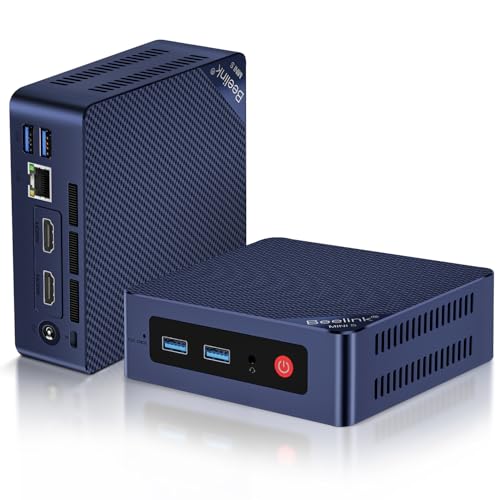
Either box handles a realistic home camera setup with headroom to spare. The N100’s iGPU lands in the middle of that 4-35 ms OpenVINO inference range, which is dozens of detections per second, far more than a few cameras generate.
Getting Frigate onto the iGPU is two snippets. Pass the render device through in Docker Compose:
services:
  frigate:
    image: ghcr.io/blakeblackshear/frigate:stable
    devices:
      - /dev/dri/renderD128:/dev/dri/renderD128 # Intel iGPU for decode + OpenVINO
    volumes:
      - ./config:/config
      - ./storage:/media/frigate
Then tell Frigate to use OpenVINO as the detector in its config.yml:
detectors:
  ov:
    type: openvino
    device: GPU # run detection on the Intel iGPU
That’s it. No USB dongle, no abandoned driver, no kernel roulette.
Pro tip: buy a bigger SSD than you think you need, or drop a cheap 2TB SATA drive in whichever model has the 2.5” bay. Continuous recording from a few 5MP cameras eats storage at a rate that surprises everyone the first time.
Build 2: Raspberry Pi 5 + Hailo AI HAT (~$240 all-in)
If you already own a Raspberry Pi 5, or you just like the idea of your NVR drawing single-digit watts, the Pi route got genuinely good in the last two years, and it’s the one place where a dedicated accelerator still earns its slot.
The Pi’s CPU can’t run detection alone at any useful rate, but a Hailo AI HAT changes the math completely: Frigate’s docs quote 7-11 ms inference on the Hailo, which is Coral-class performance from hardware that’s actually maintained, with first-class support in current Frigate releases. Unlike the Coral, Hailo’s drivers are actively developed and ship for current kernels.
My pick is the GeeekPi AI HAT+ with the 13 TOPS Hailo ($130), because it bundles a metal case and an active cooler, and a Pi 5 doing 24/7 NVR duty genuinely needs the airflow. If you want headroom for other AI experiments on the same Pi, the official Raspberry Pi AI HAT+ with the 26 TOPS Hailo-8 ($190) is double the compute, though for Frigate alone the 13 TOPS version is already more than a home camera setup uses.
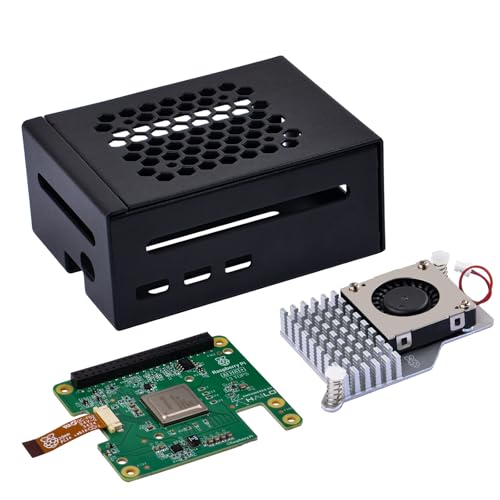
Budget check for a from-scratch build: a Pi 5, the AI HAT, a power supply, and an external SSD lands around $240. That undercuts the mini PC, but be honest with yourself about the trade-offs: the Pi has no hardware H.265 encode for re-streaming, and the AI HAT occupies the Pi 5’s single PCIe lane, so recordings go to a USB 3.0 SSD instead of NVMe (recording to SD cards is how SD cards die). You’re also assembling four parts instead of unboxing one.
Where the Pi build shines is power. A Pi 5 with the Hailo HAT idles a few watts lower than even an N100 box, and if you’ve read about my solar-powered iPhone OCR server, you know I take low-idle-wattage builds personally. Over a year of 24/7 duty, every watt is about a dollar and a half on my hydro bill.
| Build | Price | Detector | Inference (per Frigate docs) | Best for |
|---|---|---|---|---|
| Beelink Mini S12 Pro (N100) | $339 | iGPU, OpenVINO | 4-35 ms (Intel iGPU range) | Set-and-forget, room to grow |
| Beelink EQ (N150) | $309 | iGPU, OpenVINO | 4-35 ms (Intel iGPU range) | Same, slightly newer silicon |
| Pi 5 + Hailo AI HAT (13 TOPS) | ~$240 | Hailo, 13 TOPS | ~11 ms | Lowest power, tinkerers |
| Old desktop + used GPU | free-ish | ONNX/TensorRT | varies | You already own it |
That last row is real, by the way. If there’s a retired desktop in your closet, Frigate will happily use an NVIDIA GPU (compute capability 5.0+, CUDA 12) or an AMD card via ROCm. The catch is power: a full desktop idling 24/7 costs more per year than a mini PC costs once. I did that math for game servers and the answer transfers directly.
Cameras that physically can’t betray you
The NVR box is only half the story. The cameras matter more, because they’re the part that vendors keep proving they can’t be trusted with.
The rules I’d follow, straight from Frigate’s docs plus the last decade of IoT security incidents:
- Wired PoE only. No WiFi cameras. Frigate’s docs discourage them for reliability (dropped frames wreck detection), and I discourage them because a wired camera on an isolated VLAN has no cloud escape hatch. One cable does power and data.
- Stick to NVR-friendly brands. Frigate’s docs recommend Dahua, Hikvision, and Amcrest, cameras that speak standard RTSP with proper substreams. Amcrest is the easy button in North America.
- Skip the “AI camera” upsell. Frigate does the detection. You’re buying a lens, a sensor, and an RTSP stream. Every cloud feature on the spec sheet is a feature you’re going to disable anyway.
My three picks, in the order I’d deploy them:
- Amcrest 5MP bullet PoE ($75): the default. 5MP is the sweet spot for Frigate (detail without drowning your decoder), it has a built-in mic and color night vision, and the bullet housing makes it obvious to anyone approaching that the house is watched, which is half the job.
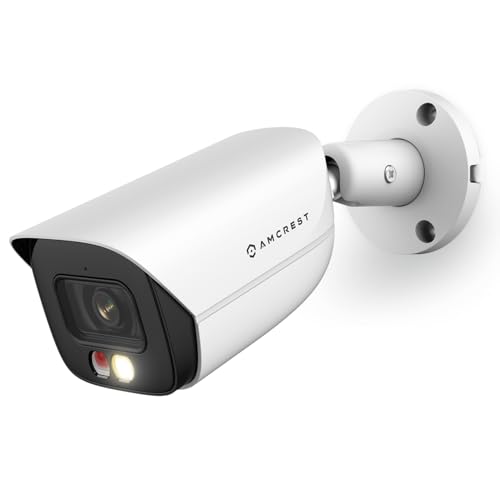
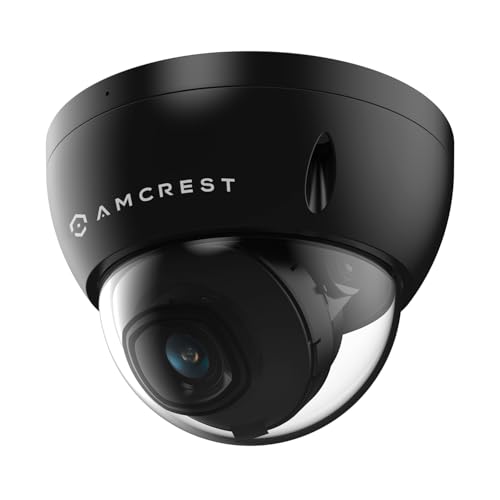
- Amcrest 5MP vandal dome PoE ($58): the budget fill-in for porches and side doors. IK10-rated housing, so it shrugs off both weather and anyone who takes a swing at it.
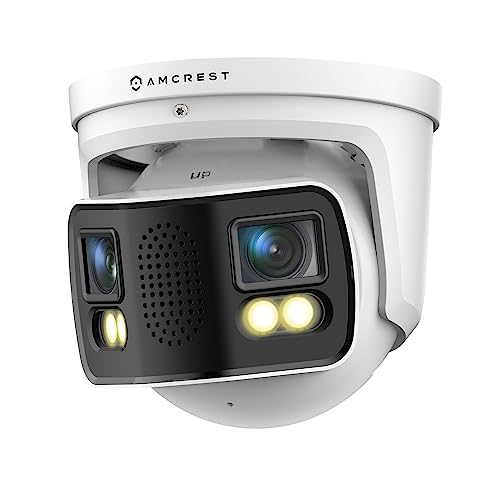
- Amcrest dual-lens 4K turret PoE ($400): the splurge, for the one mount that has to cover everything. Two 4MP lenses stitch into a panoramic 180° view, so a single cable covers a whole backyard.
One aside for the repurposers: Frigate community folks run old phones as RTSP camera sources, which is a lovely way to give a drawer phone a job. I’d treat it as a fun indoor experiment rather than your front-door camera, but the spirit is exactly right.
The boring part that makes it private: PoE and isolation
Here’s the step most guides skip, and it’s the entire reason this build beats a cloud camera on privacy instead of just matching it on features: the camera network gets no internet.
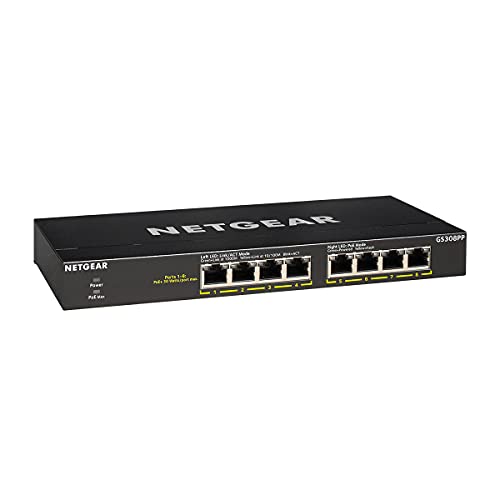
The shopping part is easy. An 8-port PoE switch like the NETGEAR GS308PP ($70, 83W PoE+ budget) powers four to six cameras with headroom, and it’s unmanaged, so there’s nothing to configure.
The wiring part is where the dual-NIC trick pays off:
- Cameras plug into the PoE switch.
- The PoE switch plugs into the mini PC’s second ethernet port.
- That interface gets a static IP, no gateway, no DNS. The cameras and Frigate can see each other; the cameras cannot see the internet.
- The mini PC’s first port connects to your normal LAN, where you watch the Frigate UI and Home Assistant pulls events.
The isolation is physical, so there are no VLANs or firewall rules to get wrong. If your box has a single NIC (the Mini S12 Pro does), a cheap USB 3.0 gigabit adapter gives you that second port, or a managed switch and a camera VLAN with no WAN route gets the same result with more clicking. The day the next Kasa-style CVE drops, your response is a shrug: the port was never reachable.
Label the cables at both ends before they disappear into the wall. Future-you, head in the attic insulation trying to figure out which of four identical white cables is the driveway camera, will be grateful.
FAQ
Do I still need a Google Coral for Frigate in 2026? No, and for a new build you shouldn’t buy one. The driver was archived in April 2026 and doesn’t build on kernels newer than 6.2 without patches. Frigate still supports existing Corals, but its docs no longer recommend them for new installations. An Intel iGPU with OpenVINO or a Hailo HAT covers the same job with maintained software.
How many cameras can an N100 mini PC handle? Frigate’s throughput rule is 1000 divided by inference time in milliseconds. Even at a pessimistic 20 ms on the iGPU, that’s ~50 detections per second, while a typical 4-6 camera home setup generates a fraction of that (detection only runs where motion happens). Decode is the realistic ceiling; keep detection on 720p substreams and a 4-6 camera setup is comfortable.
Can Frigate run fully offline? Yes. Detection, recording, and the web UI are all local. Optional extras like Frigate+ (custom cloud-trained models) exist, but nothing about the core requires internet, which is exactly the point.
Is the Raspberry Pi 5 really enough for an NVR? With a Hailo AI HAT, yes, for a small setup. The Hailo handles detection at 7-11 ms; the Pi handles decode for a few cameras. Give it a USB 3.0 SSD for recordings (the HAT occupies the PCIe lane NVMe would need) and don’t ask it to re-encode 4K streams and it’s a solid, very low-power NVR.
What about Reolink cameras? Frigate’s docs say Reolink can work but recommends sticking to 5MP-or-lower models for stream-compatibility reasons. Amcrest, Dahua, and Hikvision are the safer defaults for RTSP behavior.
The whole build comes to $339 for the mini PC, $75 for the bullet, $58 for the dome, and $70 for the switch: about $540, once. A two-camera cloud plan from the usual suspects runs $10-20 a month forever, so the build pays for itself in two to four years, and that’s before you price in what the cloud options actually cost you in a company knowing your GPS coordinates and your comings and goings, with the right to change the deal whenever it likes.
A cloud camera would have been easier, sure. But one of them spent years telling strangers where its owners lived, and monitors are now serving McAfee ads. I’m done giving hardware the benefit of the doubt. If it points a lens at my family, it runs on my box.
If you’re building out the rest of the closet while you’re at it, my homelab mini PC guide and local LLM hardware guide cover what else these little boxes can do.
May your monitor never try to sell you antivirus. Now if you’ll excuse me, motion was just detected in zone 2. 📹
Last updated: July 2026