I bookmarked a GMKtec EVO-X2 listing in October last year. 128GB Ryzen AI MAX+ 395, listed at $2,099. I closed the tab, told myself I’d think about it for a week, and went to bed.
Six months later I checked again. The exact same SKU is now $3,299. That’s not a typo. The “rampocalypse” (LPDDR5 prices spiking, AI demand, take your pick) has eaten 60% on top of the original price. Corsair quietly raised their AI Workstation 300 by $1,100. Reddit threads on r/LocalLLaMA are full of people kicking themselves for not buying when these things first launched.
So here’s the thing. AMD just announced their own in-house Halo Box at AI Dev Day, ships in June. Every mini PC vendor on the planet is now slapping “Ryzen AI MAX+ 395” on something. Every YouTube video says it’s the local LLM machine you’ve been waiting for. And it… kind of is. But there are landmines, and the “obvious” buying advice is wrong for most people.
I spent the last two weeks reading through Reddit threads, Phoronix coverage, and actual product specs to figure out what’s worth buying right now. This is what I landed on.
TL;DR. My picks for local LLM mini PCs in 2026:
- The flagship if you have the budget: GMKtec EVO-X2 (Ryzen AI MAX+ 395), runs 70B models locally, $2,349 (96GB) to $3,299 (128GB)
- The mid-flagship value pick: MINISFORUM AI X1 Pro-470, Ryzen AI 9 HX 470, 32GB, $1,359
- The OpenClaw-friendly mid-tier: Beelink SER10 MAX (HX 470), 86 TOPS NPU, 32GB, $1,799
- Budget tier that still does real work: Beelink SER9 (Ryzen 7 H 255), 32GB LPDDR5, $859
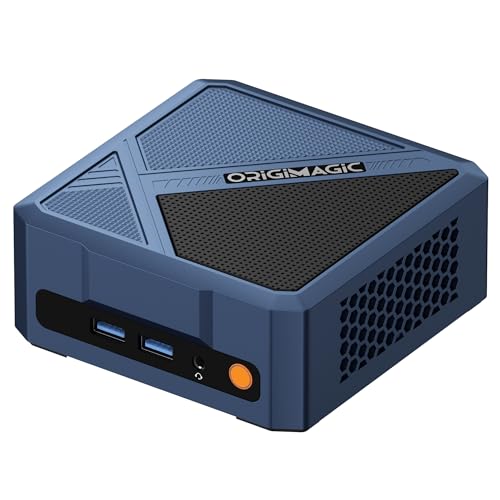
- Cheapest pick that’s still useful: origimagic A3 (Ryzen 7 8745HS), 32GB upgradeable DDR5, $609
- What to actually buy first if you’ve never run a local LLM: none of the above. Keep reading.
Why r/LocalLLaMA is losing its mind, and the price reality
Strix Halo is AMD’s codename for the Ryzen AI MAX+ 395 platform. It’s a laptop-class APU that AMD also licensed for desktops and mini PCs. The selling point isn’t the CPU. It’s the unified memory architecture: up to 128GB of LPDDR5x soldered to the package, addressable by both the CPU and the integrated 8060S GPU at roughly 256 GB/s.
For local LLMs, that’s the magic spec. Most mid-range gaming PCs have 16 to 24GB of VRAM total. A 70B parameter model in 4-bit quantization needs ~40GB. Without unified memory you’re stuck either buying a used RTX 3090 stack (loud, hot, two PCIe slots, ~$1,500 used) or accepting that the model lives partly in system RAM and runs at glacial speed.
Strix Halo flips the math. 128GB unified means you can load a 70B model and still have room left for the OS, your text editor, and a half-dozen Docker containers. And it does it in a 2.5L mini PC enclosure that draws ~140W under load.
That’s the pitch. Now the reality.
Six months ago you could get a 128GB Strix Halo box for around $1,500-$1,800. Today that same machine is $3,000+. There’s a Reddit thread from this week where one buyer flat-out says “I got mine for $2,000 in October. Same Amazon listing is now $3,299.”
| Model | RAM | Launch (2025) | May 2026 (Amazon) |
|---|---|---|---|
| GMKtec EVO-X2 | 128GB | ~$1,999 (May launch week) | $3,299 |
| Corsair AI Workstation 300 | 128GB | ~$2,299 | $3,399 |
| Framework Desktop | 128GB | $1,999 (preorder) | ~$2,800 |
| Beelink GTR9 Pro | 128GB | ~$1,985 (Nov launch) | $3,299 |
Pricing pulled from current Amazon listings on May 1, 2026, plus historical references in r/LocalLLaMA threads. Your mileage will vary depending on the week, but the trend is everywhere.
So when you read a “best Strix Halo mini PC of 2026” post that quotes prices from a launch review, double-check Amazon before you get excited.
The 120W cap and the bandwidth ceiling
The 120W cap on AMD eGPUs. This one only shows up if you read deep into the FEVM FAEX1 review threads. The FEVM and a couple of the MINISFORUM SKUs include an Oculink port, which lets you attach an external GPU. Sounds great. Pair a Strix Halo box with a used RTX 4090 and you’ve got a real local AI rig, right?
Sort of. There’s a BIOS limitation on most current Strix Halo boards: any AMD discrete GPU connected over Oculink (or M.2 to PCIe riser) gets capped at 120W. Doesn’t matter if it’s a 7900 XTX, a 6700 XT, or even an old Vega 64. All limited.
NVIDIA cards are reportedly fine, mostly. But anyone hoping to bolt a cheap AMD card onto a Strix Halo box for extra inference muscle is going to have a bad time. From one r/MiniPCs review:
I tried my 7900xtx, 120w limited. Tried my 6700xt, 120w limited. Even tried my OG Vega 64… 120w limited. Tried my best friend’s 4090, not limited.
MINISFORUM is allegedly working on a BIOS fix for their boards. AMD has been silent. If you’re buying Strix Halo specifically to attach an eGPU, wait for the fix or buy a different platform.
The memory bandwidth ceiling. The 256 GB/s number is real, but for context, an Apple M3 Ultra Mac Studio hits 819 GB/s on its unified memory, and a used RTX 3090 hits ~936 GB/s on its 24GB of VRAM. Strix Halo is roughly a third the bandwidth of either.
For inference on big models that fit entirely in unified memory, that’s still way better than nothing. You’ll get usable token rates on a 70B Q4 model, which a 24GB GPU can’t even load. But for prompt processing (the slow part where the model reads your input before it starts generating), bandwidth matters a lot, and Strix Halo is noticeably slower than a dedicated GPU.
For chat-style use cases with shorter prompts, Strix Halo feels great. For document-stuffing RAG workflows or long-context coding agents, the prompt processing wait will frustrate you. AMD’s Medusa Halo is supposed to roughly double the bandwidth, but that’s late 2027 at the earliest.
How this compares to Apple silicon and DGX Spark
Strix Halo isn’t the only large-unified-memory option for local LLMs in 2026. After the first version of this post landed on r/LocalLLaMA and HN, multiple people pointed out (correctly) that I was ignoring the obvious comparisons. Fair. Here’s the picture, with verified specs:
| Box | Memory | Bandwidth | Price | Notes |
|---|---|---|---|---|
| Mac Mini M4 base | 16GB (max 32GB) | 120 GB/s | $599 | Cheapest entry, RAM ceiling hits fast |
| Mac Mini M4 Pro 64GB | 64GB | 273 GB/s | $2,199 | DRAM-shortage-constrained, long lead times |
| GMKtec EVO-X2 (Strix Halo) | 128GB | 256 GB/s | $3,299 | The pick this post is about |
| NVIDIA DGX Spark | 128GB LPDDR5x | 273 GB/s | $4,699 | Founders Edition, raised from $3,999 in Feb 2026 |
| Mac Studio M4 Max 128GB | 128GB | 546 GB/s | $3,699 | ~2x Strix Halo bandwidth at similar price |
| Mac Studio M3 Ultra 96GB | 96GB | 819 GB/s | $3,999 | 3.2x Strix Halo bandwidth |
| RTX 5090 (in a desktop) | 32GB GDDR7 | 1,792 GB/s | $1,999 MSRP / $2,500-$3,200 street | 7x Strix Halo bandwidth, capped at 32GB |
Strix Halo wins on two things. First, price per gigabyte of fast unified RAM: $3,299 / 128GB works out to $25.77/GB versus the M3 Ultra at $3,999 / 96GB = $41.66/GB. It’s the cheapest path to running a 70B-class model in unified memory. Second, form factor and power: a 2.5L mini PC at ~140W is meaningfully smaller and cheaper to run than a Mac Studio.
Where it loses:
- Bandwidth. 256 GB/s is the floor for the comparison group. The Mac Studio M4 Max at $3,699 with 128GB hits 546 GB/s, over 2x faster, same RAM, similar price. If you care about tokens-per-second more than capacity, the Mac is the smarter buy.
- Software ecosystem. Apple silicon support in MLX and llama.cpp is mature and stable. Strix Halo support is improving fast (Lemonade SDK, ROCm 7.x) but you’re closer to the bleeding edge.
- DGX Spark exists and I should have mentioned it the first time. 273 GB/s bandwidth, 128GB unified, $4,699. Bandwidth-equivalent to Strix Halo for $1,400 more, but you get NVIDIA’s name and the CUDA ecosystem advantage. Hard to recommend over either Strix Halo or the Mac Studio M4 Max unless your workflow already lives in CUDA.
The honest summary: Strix Halo wins on price per GB. The Mac Studio wins on bandwidth. If your bottleneck is having enough fast RAM to load the model at all, Strix Halo wins on dollars. If your bottleneck is tokens-per-second on a model that already fits, Apple silicon wins on bandwidth. If you can split your workload across a 32GB GPU (RTX 5090 territory), bandwidth-per-dollar is unbeatable but you’ll be juggling quantization to fit.
Should you actually buy one?
There’s an old r/LocalLLaMA comment that’s stuck with me:
It will virtually ALWAYS be cheaper per token to run Kimi in a giant warehouse running constantly at 90% capacity than it is to run a local version that will be idle 90% of the time.
The single-purpose math: a $3,299 mini PC, amortized over three years, comes to about $90 a month before electricity. At $90 a month you can buy roughly 18,000 average chat exchanges through the Claude or Gemini API, or sit comfortably under the Claude Pro $20 plan with room left over.
But that math assumes the box is a dedicated inference appliance. If the same machine is also running homelab services, doing local CI builds, hosting media, and absorbing the occasional Photoshop session, the per-task cost drops fast. And if you’re hammering inference all day (full-time coding agents, batch document processing, RAG over a personal corpus), the calculation flips. At sustained high utilization, $3,300 of hardware can pump out roughly $3,800 to $6,800 of equivalent API tokens per year at current OpenRouter rates for Qwen-class models.
So the honest answer to “is it cheaper?” depends on which of these you are. For a casual user with a single-purpose box, no, the API is cheaper. Beyond that:
- Multi-purpose homelab + occasional inference: roughly even, comes down to what you’d rather pay for.
- High-utilization local-AI workflows: yes. Local genuinely wins on dollars.
Plus, none of that addresses the two reasons that aren’t really economic:
-
Privacy. Some workloads (medical letters, legal docs, personal journaling, anything covered by an NDA) genuinely cannot leave your network. For those, the question isn’t “is local cheaper” but “is local possible.” Strix Halo is the cheapest path to “yes.”
-
The mental model shift. Another r/LocalLLaMA quote, slightly paraphrased: “Owning the hardware shifts your relationship from ‘every prompt costs me money’ to ‘I have free tokens, let me try this.’” If you hesitate to send a message to Claude because you’re watching the API meter tick, having local inference changes how you work. I noticed this with my own setup. I throw way more half-baked ideas at a local model than I ever did at a paid API.
If you’re a casual single-purpose user and privacy isn’t a hard requirement, save the $3,299. Use Claude Pro or one of the free-tier API rotations and put the money into something else.
NordVPN Worth paying for
I self-host a VPN for daily browsing, but for streaming, travel, and my wife's phone I keep a commercial one around. This is the one I've actually used.
Get the dealMy picks at each tier
OK, you’ve made it this far and you still want to buy. Here’s what I’d actually pick.
Tier 1: the full Strix Halo flagship
GMKtec EVO-X2 (Ryzen AI MAX+ 395), from $2,349 (96GB) to $3,299 (128GB)
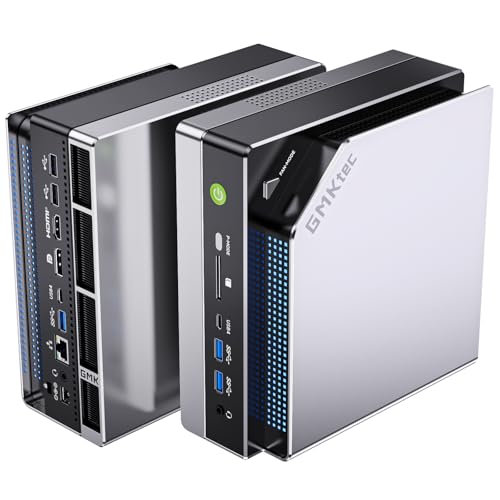
This is the unit most r/LocalLLaMA buyers settled on. Ryzen AI MAX+ 395, LPDDR5x at 8000 MHz, 1TB or 2TB NVMe, dual 2.5G LAN, USB4. The 96GB SKU at $2,349 handles everything up to a 30B Q8 model and a 70B Q4 with some squeezing. The 128GB SKU at $3,299 gives you the full 70B headroom plus room for the OS and a half-dozen Docker containers.
The downside is the price tag and the fact that it’s loud under sustained load. Not jet-engine loud, but you’ll know when it’s working. If you’re putting it in a bedroom, get a Beelink GTR9 Pro 128GB instead. Same chip, similar price ($3,299), better thermals at the cost of being a chunkier enclosure.
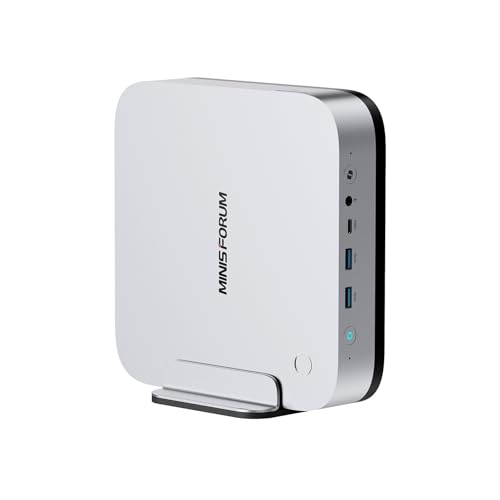
If you’d rather drop down to the Ryzen AI 9 HX 470 tier (cheaper, more expansion, less unified memory headroom), the MINISFORUM AI X1 Pro-470 with 32GB DDR5 + 1TB SSD is the cleanest mid-flagship pick at $1,359. You give up the 128GB unified ceiling but you keep the strong NPU and the wider expansion options.
Tier 2: the smarter buy for most people
Beelink SER10 MAX (Ryzen AI 9 HX 470), $1,799
Beelink launched this as their “OpenClaw edition” and the branding is silly, but the hardware is genuinely the sweet spot for 2026. 86 TOPS combined NPU+iGPU, 32GB DDR5, 1TB NVMe. The HX 470 is a refresh of the HX 370 with about 10% more performance and an updated NPU. You can run 13B models comfortably and 27B models in Q4 (Qwen 3.6 27B fits, and runs well).
For my money this is the box I’d actually buy if I were starting from scratch. It’s half the price of a 128GB Strix Halo, runs the models that are realistically useful for a developer’s day-to-day work, and it doubles as a perfectly good OpenClaw host when you’re not running inference. If you’re new to local LLMs, this is where I’d start.
The MINISFORUM AI X1 Pro-470 mentioned above at $1,359 is the closest direct competitor if you want to save $400 and don’t need the Beelink chassis.
Tier 3: the budget tier that still does real work
Beelink SER9 (Ryzen 7 H 255, 32GB), $859
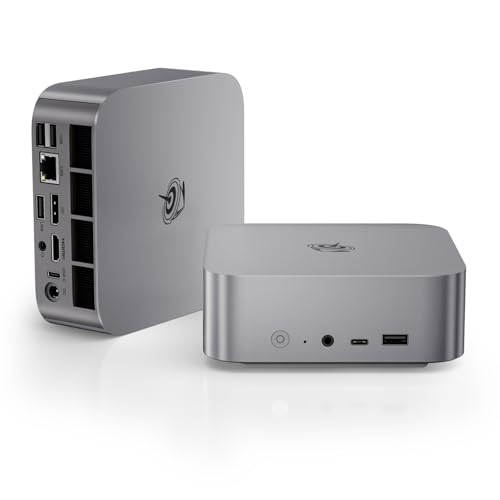
Eight cores, 32GB LPDDR5, 1TB NVMe. No NPU, no AI branding, just a solid 2024-vintage chip in a quiet enclosure. The Radeon 780M iGPU is enough for running 7B and 13B models in Q4 at usable speed using llama.cpp. You won’t run 27B models comfortably and you definitely won’t run 70B. But for a lot of practical use cases (code completion with Qwen 2.5 Coder 7B, simple chat with Gemma 4 E4B, RAG over a small document set with Llama 3.2 3B), the H 255 is more than enough.
Update, June 2026: Google’s QAT release changed what “budget tier” means here. Gemma 4’s MoE 26B-A4B now runs at usable speeds on CPU-class hardware like this, no GPU involved; I wrote up the whole no-GPU setup separately.
I keep recommending the SER9 because it nails the 80/20. Most people who think they need Strix Halo actually need this plus a Claude API subscription for the heavy stuff. Read my home lab guide if you’re building out for general homelab duty rather than dedicated inference.
If you want something even cheaper, the origimagic A3 (Ryzen 7 8745HS, 32GB DDR5, 1TB SSD) at $609 is the best price-to-performance pick I’ve seen this month. The 8745HS is roughly equivalent to the H 255 for inference workloads, and the upgradeable DDR5 (versus soldered LPDDR5) means you can take it to 64GB later if you start playing with bigger models.
The software side: Lemonade SDK is worth knowing about
If you do go AMD, AMD’s Lemonade SDK is the open-source local-AI server they’ve been pushing as their answer to Ollama. Last week’s 10.3 release ditched Electron for Tauri and shrunk the binary from 100MB to 9MB. They added an “OmniRouter” that automatically picks between CPU, integrated GPU, and NPU back-ends for each request, and they made it easy to switch between ROCm 7.2 stable, ROCm 7.12 preview, and TheRock nightly builds.
It’s not as polished as Ollama yet. The Linux AppImage was dropped in 10.3, so installs now go through the web app or snap, which works fine but is worth knowing if you were chasing the AppImage. But Lemonade is the only project getting day-zero support for new AMD hardware, including Strix Halo’s NPU. If you’re buying Ryzen AI specifically because of the NPU, Lemonade is the path that actually uses it. Plain Ollama will fall back to CPU/iGPU and ignore the NPU entirely on most setups.
For now my honest recommendation is: install both. Ollama for the polished experience and broad model availability, Lemonade for benchmarking what your NPU can actually do. They don’t conflict.
What I’d do if I were starting today
If I were buying my first local-LLM mini PC tomorrow, knowing what I know now:
-
If I had $1,500 to spend: Beelink SER10 MAX HX 470 ($1,799 is close enough, and you can flip Cyber Week for $1,499). Run Qwen 3.6 27B Q4 for coding, Gemma 4 12B for chat. Pair with a Claude API subscription for anything that needs frontier capability.
-
If I had $3,500 to spend and privacy mattered: GMKtec EVO-X2 128GB. Full local stack, 70B models, no cloud dependency. Worth it specifically for the workloads where the data can’t leave your network.
-
If I had $700 and was just curious: origimagic A3 plus a free week of Claude Pro. Run Llama 3.2 3B and Qwen 2.5 Coder 7B locally for the “every prompt is free” experience, lean on Claude for anything serious.
-
What I would not do: spend $3,299 on a 128GB Strix Halo box right now if I weren’t already certain I needed local-only inference. The price will come down once the AMD-branded Halo Box ships in June, and the next-gen Medusa Halo (late 2027) will roughly double memory bandwidth at hopefully sane prices.
I might be wrong about the price coming down. Tariffs and RAM inflation have a way of making predictions look stupid. But buying at peak hype almost never works out.
Resources
Related posts on terminalbytes:
- Run Gemma 4 on a mini PC, no GPU required, the follow-up to this post: what the QAT files changed and how to serve the 26B-A4B on hardware you already own
- You don’t need a Mac Mini to run OpenClaw, the previous post in this series, focused on always-on AI agents rather than dedicated inference
- Best mini PCs for home lab 2025, general homelab buying guide if local LLMs aren’t your only use case
- The self-hosting revolution starts with a $400 mini PC, the philosophy post on why mini PCs replaced my old tower
External:
- Lemonade SDK on GitHub, AMD’s local AI server, the only thing that uses the NPU on Ryzen AI hardware
- Phoronix’s Lemonade 10.3 coverage, the 10x size reduction story
- r/LocalLLaMA Halo Box photos thread, current pricing reality check
- Liliputing’s GPD BOX writeup, for the Intel Panther Lake side of the same conversation
Happy inferencing! 🚀
Last updated: May 2026. Pricing shifts weekly thanks to the LPDDR5 supply chaos. Verify before you buy.