I’ve leaned on Oracle’s free ARM box for years. It runs a WireGuard VPN, a couple of small services, and yes, the obligatory game server. So when I opened the Always Free docs last week to grab a number for something unrelated, I did a double take: the page that used to promise 4 OCPUs and 24 GB of RAM now says 2 OCPUs and 12 GB.
I never got an email about it. Oracle sends me “planned changes” notices for far smaller stuff all the time, but for halving the headline resource of its free tier? Nothing. They just edited the docs and moved on.
TL;DR
- Oracle halved the Always Free Ampere A1 (Arm) allocation: 4 OCPU / 24 GB is now 2 OCPU / 12 GB.
- In billing terms: from 3,000 OCPU-hours + 18,000 GB-hours/month to 1,500 OCPU-hours + 9,000 GB-hours/month.
- The AMD micro instances (2× 1/8 OCPU / 1 GB) and the 200 GB of storage are untouched.
- There was no official announcement, and as of now the change isn’t being enforced consistently. Plenty of people are still running 4/24 with a $0 bill.
- Safe play: resize your instance to 2/12 (takes two minutes), or set a budget alert and watch. 2 OCPU / 12 GB is still enough for a VPN or a Minecraft server.
What Oracle actually changed
Here’s the before and after, straight from the Always Free resources documentation:
| Resource | Before | Now |
|---|---|---|
| Ampere A1 OCPU-hours / month | 3,000 | 1,500 |
| Ampere A1 GB-hours / month | 18,000 | 9,000 |
| Equivalent always-on Arm shape | 4 OCPU / 24 GB | 2 OCPU / 12 GB |
| AMD micro instances | 2× (1/8 OCPU / 1 GB) | 2× (1/8 OCPU / 1 GB) |
| Block + boot storage | 200 GB | 200 GB |
The exact wording on Oracle’s page now reads: “the first 1,500 OCPU hours and 9,000 GB hours per month… For Always Free tenancies, this is equivalent to 2 OCPUs and 12 GB of memory.”
So the storage that everyone worries about losing is fine. It’s purely the Arm compute that got cut, and it got cut in half. That 4-core, 24 GB box that made Oracle’s free tier the best deal in cloud computing is now a 2-core, 12 GB box.
Hold on, is this even switched on yet?
This is the part the breathless headlines skip.
The documentation changed, but the enforcement is a mess. As I write this, a lot of people (myself included) still have 4 OCPU / 24 GB instances running happily, the in-console cost forecast still says $0, and the old “4 OCPUs and 24 GB” banner is still sitting right there in the instance creation screen. The console hasn’t caught up with the docs.
There was a date floating around that billing would kick in “on the 15th.” As far as I can tell, that came from a single support chat, not from any official Oracle source, and it didn’t visibly happen for most people. New accounts can apparently still spin up a 4/24 instance under Always Free even now.
So the honest status is murky: the docs say one thing, the console still says another, and nobody can tell you when, or whether, the meter actually starts on an existing instance. That’s exactly why I’d rather act on my own terms than wait for a surprise.
PAYG or free tier: who actually gets hit
If you’re on a pure Always Free account, the consequence is simple. If your instance sits above 2 OCPU / 12 GB once the limit is enforced, Oracle shuts it down until you resize it. Annoying, but not expensive.
If you upgraded to Pay As You Go (a lot of us did, just to get reliable capacity), it’s murkier, and Oracle support has contradicted itself. One early support chat told a PAYG user the new limit applied to them too and they’d be billed for the overage. A later, more detailed reply said the opposite: the reduction applies to Always Free tenancies only, and existing PAYG instances at 4/24 “remain eligible under the current policy.”
Translation: nobody outside Oracle really knows, and the people inside Oracle aren’t saying the same thing twice. If you’re PAYG and want to keep your 4/24 box, the realistic move is to set a low budget alert (Billing > Cost Management > Budgets, somewhere around $1) so the first cent of charges pings you, then decide. Just know that alerts aren’t bulletproof. I’ve seen reports of charges landing despite an alarm being set.
How to shrink your instance to 2 OCPU and 12 GB
If you’d rather not gamble, downsizing is quick and you don’t lose your data, your disk, or (usually) your IP. The path is short.
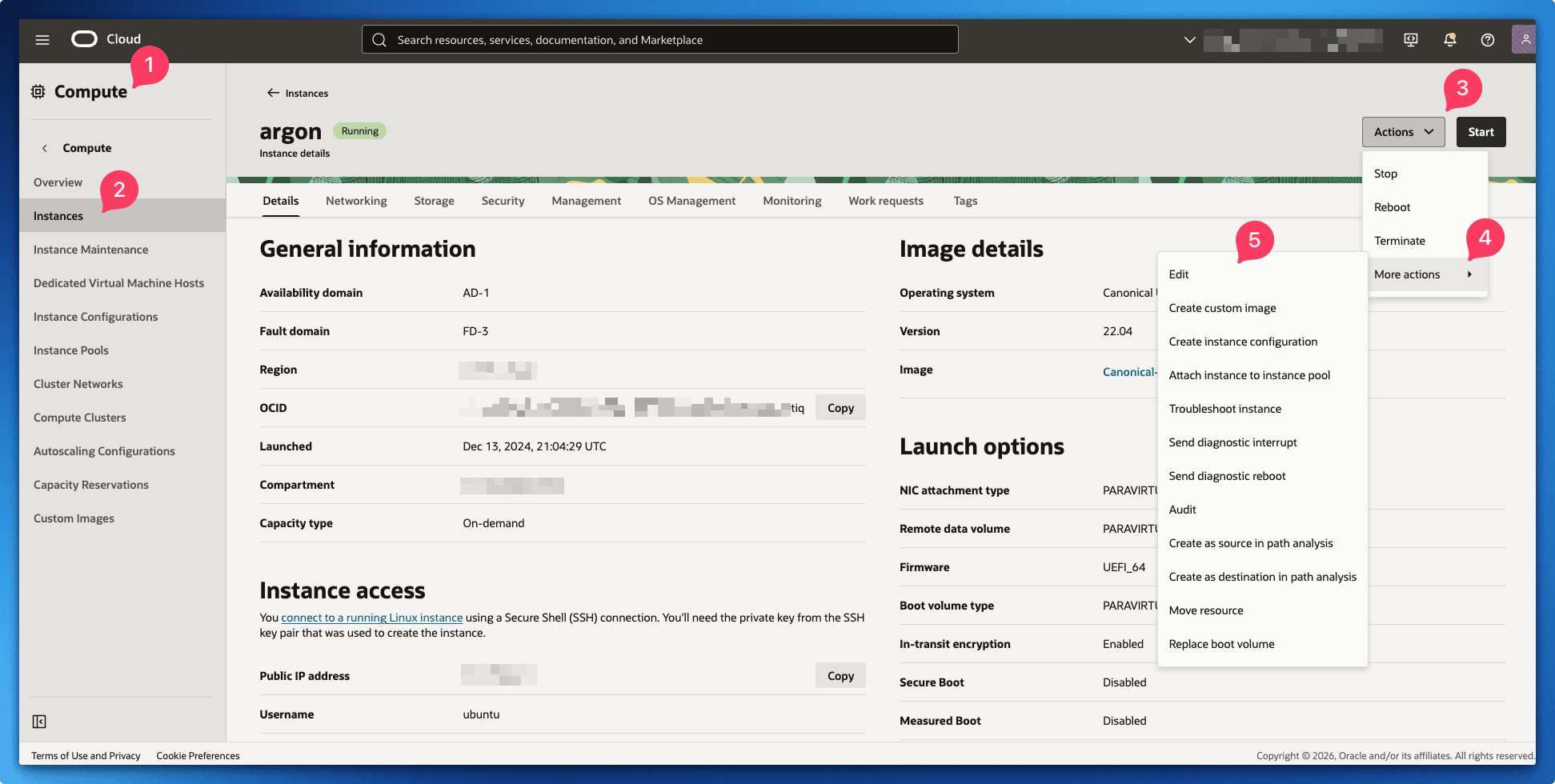
First, open the instance in the OCI console, then go to Actions > More Actions > Edit.
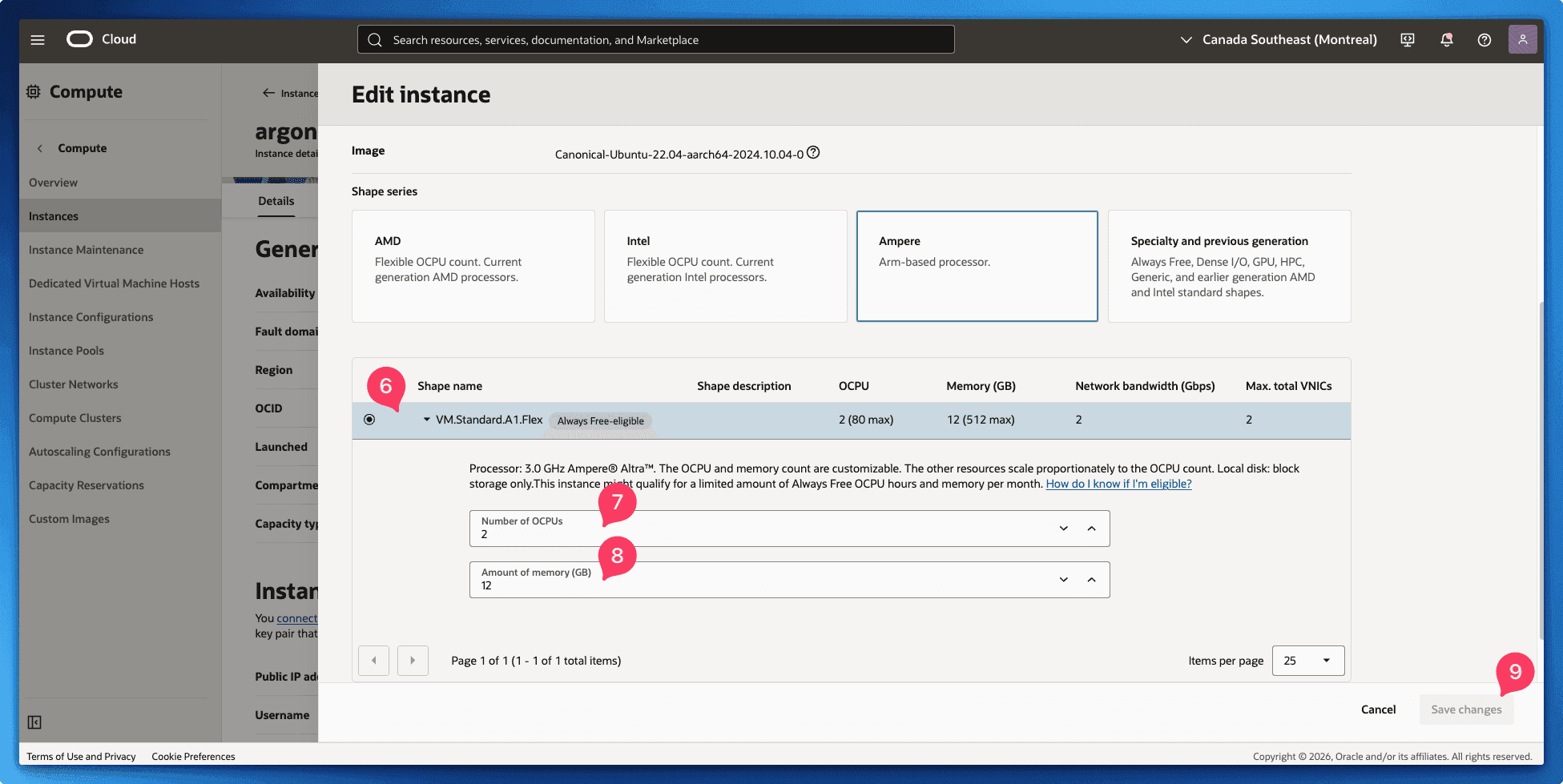
In the Edit dialog, keep the Ampere shape selected and drop the number of OCPUs to 2 and memory to 12 GB. You can split it however you like across instances, two 1-OCPU / 6 GB boxes is also valid. Save the changes.
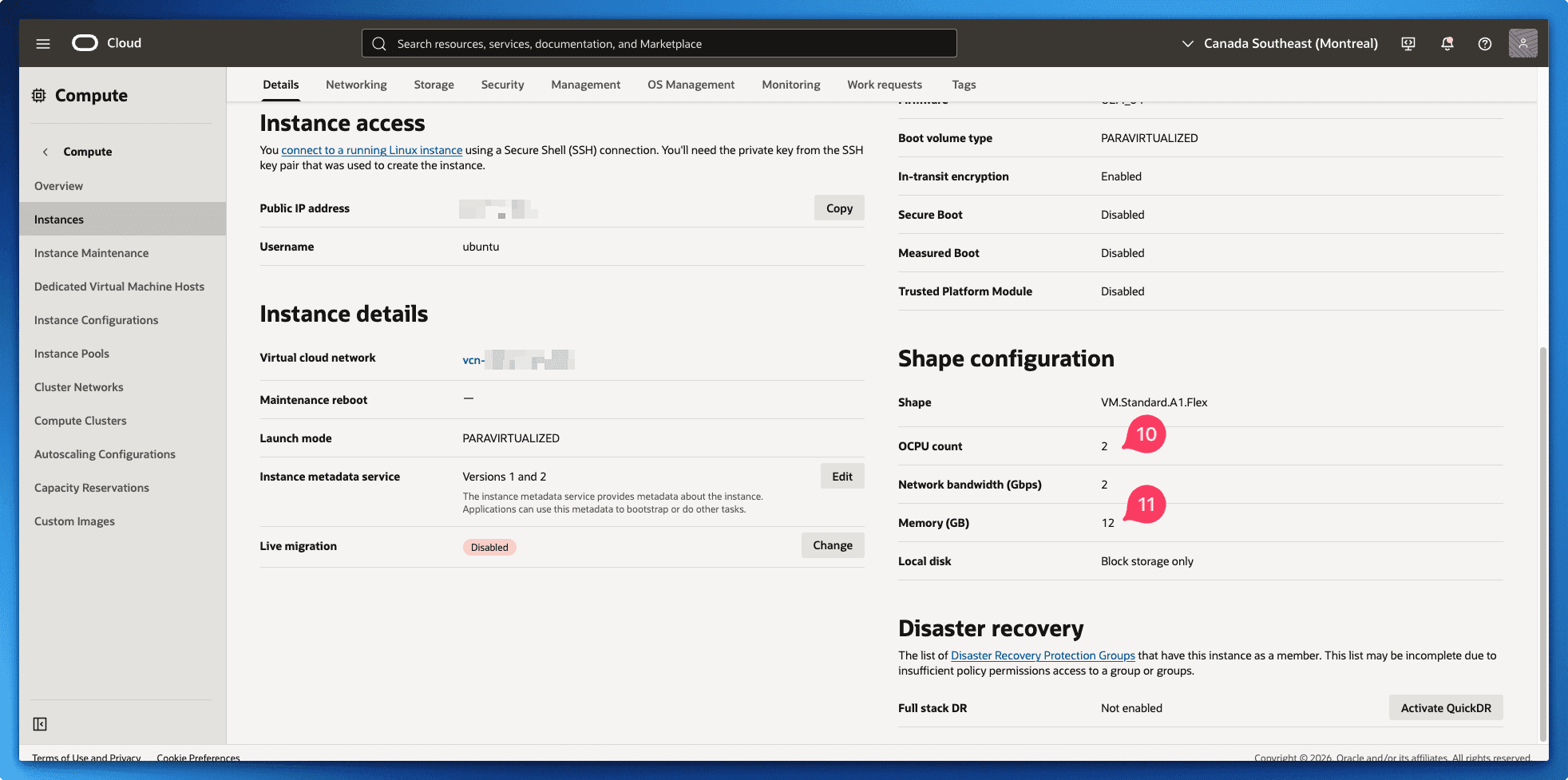
The instance reboots and comes back in about two minutes. Once it’s up, check the shape configuration to confirm it now reads 2 OCPUs and 12 GB.
Pro tip: if the edit throws an “Out of host capacity” error, you’ve hit the most annoying Oracle gotcha there is. Resizing behaves like a fresh launch, and in busy regions there may be no Arm capacity to land on. Two things that work: stop the instance first, then edit and start it, and try a different fault domain in the resize dialog. A few people have shrunk their box and then been unable to start it again because capacity vanished, so on a free account, don’t do this casually during peak hours.
For the record, my downsize preserved the same public IP and didn’t touch the 200 GB boot volume. Your mileage on the IP can vary by region.
2 OCPU and 12 GB is still plenty for most of what you’re doing
Before you rage-quit Oracle, let’s be fair: half of a ridiculously generous free tier is still a generous free tier. 2 OCPUs and 12 GB of RAM is more than most VPS plans people happily pay $10 to $20 a month for.
For a personal WireGuard setup, it’s overkill. My free VPN server on Oracle Cloud barely touches a single core, so the cut changes nothing there.
And for the use case that brings most people to Oracle in the first place, a Minecraft server, you’re still in great shape. A 2-core / 12 GB box will comfortably run a small-to-medium server for you and your friends. You won’t be hosting a 50-player modded ATM10 monstrosity, but a vanilla or lightly-modded world for a handful of people runs fine. My guide to a free Minecraft PE server on Oracle Cloud still works start to finish on the new allocation, just keep your view distance and modpack sane. If you want to push past what the free tier can do, that’s the moment to look at the full Minecraft server on a mini PC guide instead.
When it’s time to stop renting and buy a mini PC
Something’s been nagging me through this whole saga. This is the second quiet nerf I’ve watched a “free forever” cloud tier take, and it won’t be the last. When a provider is leaning hard into expensive AI bets, the free Arm boxes are the first thing on the chopping block. “Always Free” clearly has an asterisk.
If you were relying on the full 24 GB, or you’re just tired of waking up to check whether your VPS still exists, a cheap mini PC at home ends the whole game. You pay once and get 16 GB of RAM that nobody can quietly halve on you overnight, with no metering and no capacity lottery. It’s the same logic behind the whole self-hosting on mini PCs approach, and after the OCI shuffle it looks better than ever.
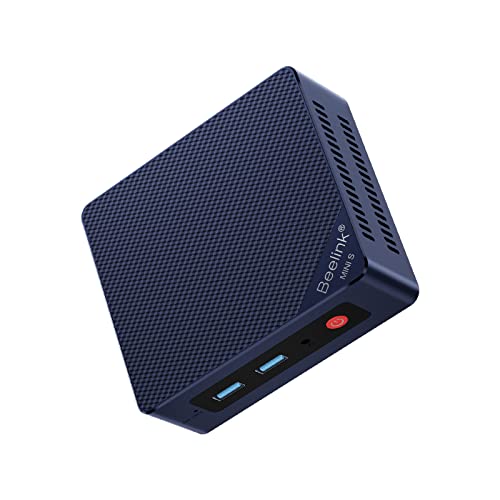
A 16 GB N100 box runs the exact same Docker workloads you’d put on an Oracle instance, and it idles at single-digit watts. The Beelink Mini S12 Pro (N100, 16GB/500GB) is the one I keep recommending because it’s the boring, reliable default.
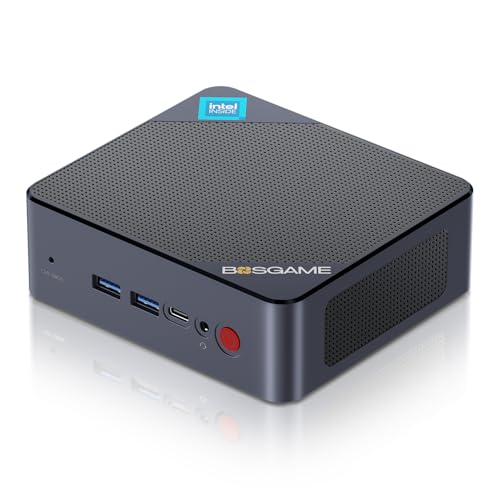
If you want to spend less, the BOSGAME B100 (N100, 16GB/512GB) covers the same ground for a bit cheaper.
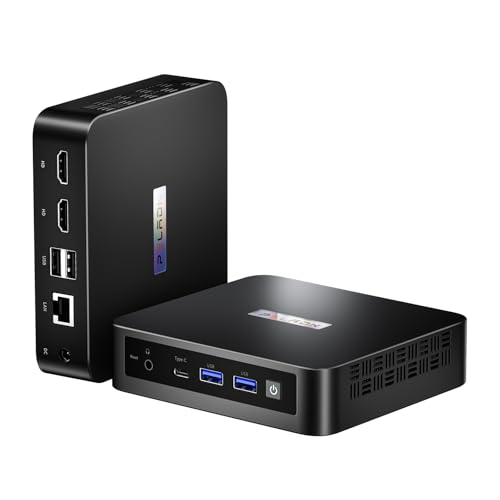
And if you want the slightly newer chip, the PELADN N150 (16GB/512GB) is a small step up in single-thread performance for roughly the same money.
Want to think bigger than one box? The best mini PCs for a home lab roundup goes deeper on building something that scales past a single instance.
Questions people keep asking
Did Oracle delete the free tier? No. The Always Free tier still exists, the Arm allocation just got cut in half to 2 OCPU / 12 GB. The AMD micro instances and 200 GB of storage are unchanged.
Will my existing 4 OCPU / 24 GB instance get shut down? On a free account, yes, once the new limit is enforced your instance gets stopped until you resize it down to 2/12. On Pay As You Go, Oracle support has given conflicting answers, so set a budget alert and watch your cost analysis.
How much would it cost to keep a full 4/24 instance running? Only the half above the new free tier is billable (the extra 2 OCPU + 12 GB). At Oracle’s Arm rates that works out to roughly $25 to $28 a month. Check the exact figure with Oracle’s official OCI cost estimator for your region before you assume.
Is 2 OCPU and 12 GB enough for a Minecraft server? Yes, for a small-to-medium server. Keep the modpack light and the view distance reasonable and a handful of players will have a smooth time.
Did the storage get cut too? No. You still get 200 GB of block and boot volume storage. Only the Arm compute changed.
This whole thing is a good reminder that “free forever” always ships with fine print. Resize your box, set an alert, and maybe start eyeing a mini PC for the stuff you actually care about.
Happy self-hosting! 🏠
Last updated: June 2026