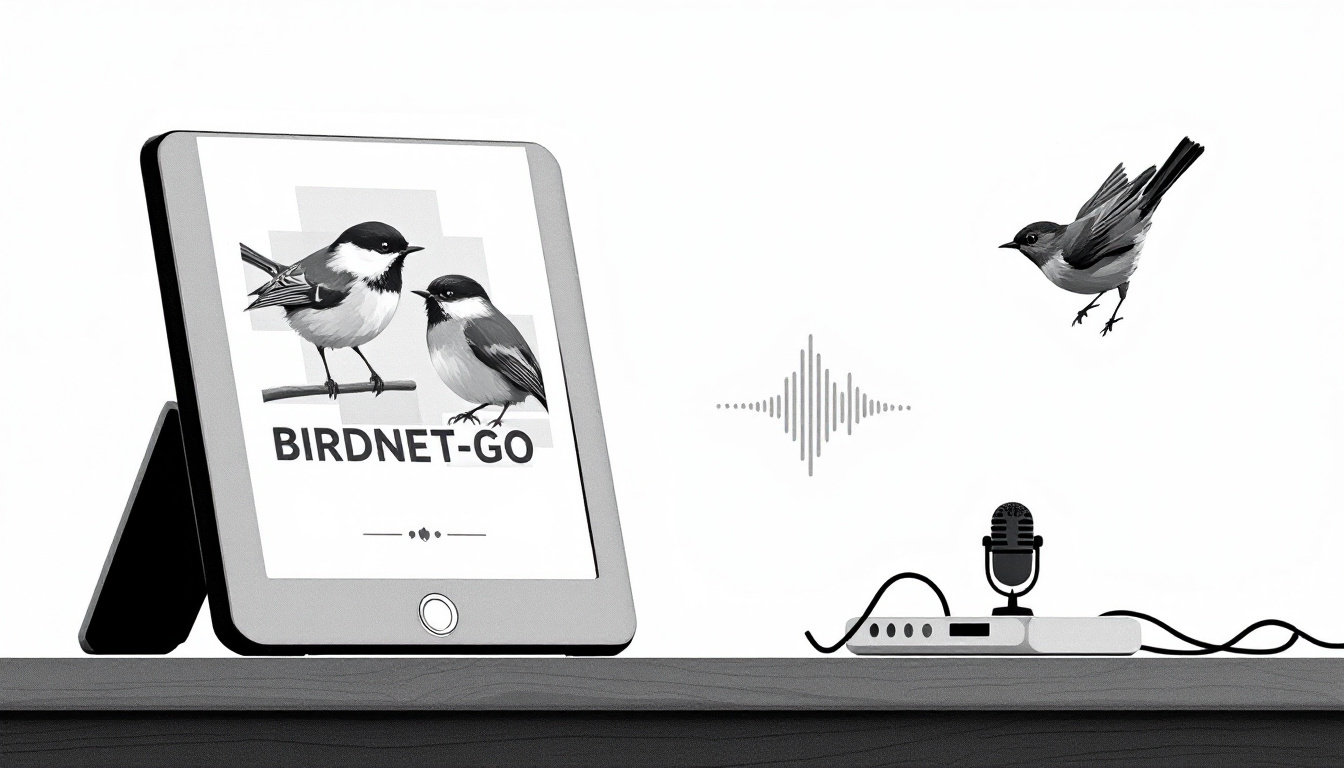
A picture frame that listens to the birds outside and redraws itself with 1800s natural-history plates of whoever just sang. That’s fugleramme, and it sits on top of BirdNET-Go, a self-hosted bird detector that runs fine on a Raspberry Pi or a mini PC. The repo went past 3,900 stars in about three and a half months, and I wanted to know whether the detection holds up before anyone buys a mic for it.
To find out, I ran the whole stack in Docker on my Mac, played it eight real bird recordings and a minute of noise, and logged every hit, every miss and how much RAM it ate. Then I sized the collage for the Kindle that already shows the weather on my desk.
TL;DR
- BirdNET-Go named 6 of 8 Canadian backyard species from xeno-canto recordings at its default 0.7 threshold, each with a top score of 0.93 or higher. House Sparrow never made the cut, and the Blue Jay file came out as Cedar Waxwing.
- Brown noise produced zero detections, even with the threshold dropped to 0.1.
- BirdNET-Go used 215 to 348 MiB of RAM and about 10% of one CPU core on average. Fugleramme idles near 0% and jumps to about one core when it redraws.
- A Raspberry Pi 5 with 2GB covers both. The mic matters more than the computer.
- The frame’s
/collage.pngconverts to a 1072x1448 grayscale PNG in one ImageMagick command, ready for a jailbroken Kindle running kindle-dash.
Why a frame that listens beats a camera on a feeder
Bird cameras are fun until you realize most of the birds in your yard never sit still in frame. They do make noise, though. BirdNET, the model from the Cornell Lab of Ornithology and Chemnitz University of Technology, identifies birds from 3-second chunks of audio. BirdNET-Go wraps that model in a single Go binary with a web dashboard, a SQLite database, and an API. Version 20261014 loaded the BirdNET v2.4 model with 6,522 species on my machine.
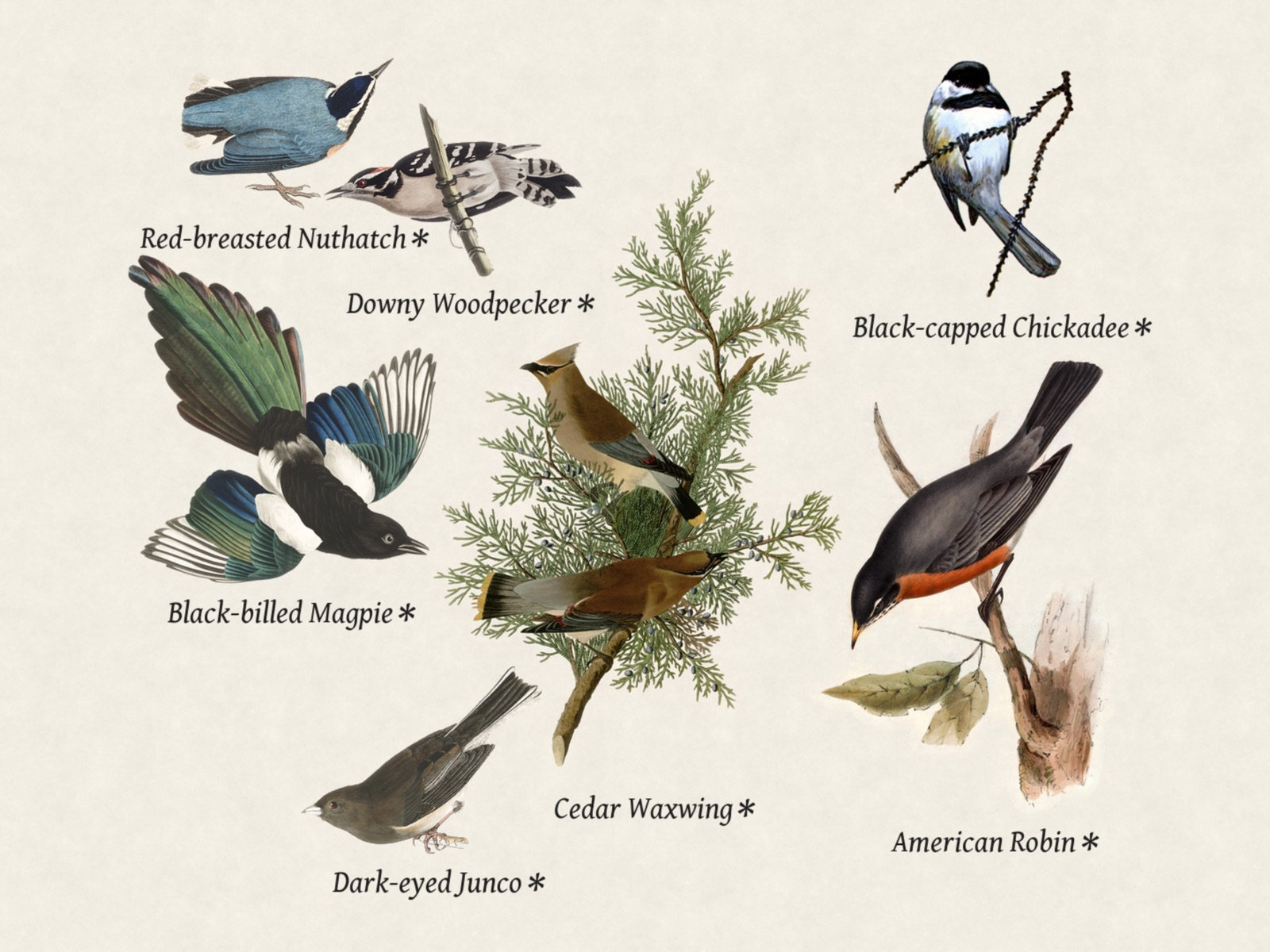
Fugleramme is the pretty half. It polls BirdNET-Go’s API, matches each species to a hand-cut illustration (nearly 1,200 cut-outs covering over 650 species, none of them AI-generated), and lays them out on textured paper sized by real body mass. The author built his around a 13.3-inch Pimoroni Inky Impression in an IKEA frame. It also serves the same page over HTTP, so a TV, a tablet or a browser works too.
Everything runs locally, so your backyard soundscape never leaves the house and nobody bills you monthly for it. One caveat: BirdNET-Go is licensed CC BY-NC-SA 4.0, so it’s for personal and non-commercial use.
Parts list: Pi 5, N150 mini PC and which mic
Both projects agree on the computer: a Raspberry Pi 5 with 2GB of RAM is enough. BirdNET-Go’s own hardware page calls the 2GB model sufficient and recommends 4GB only if you run several models at once. My numbers below back that up.
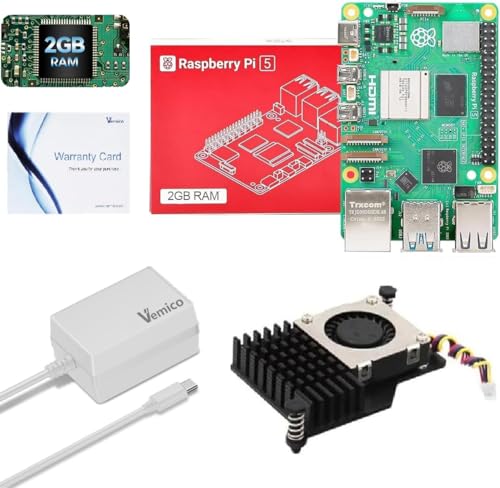
- For a Pi, the Vemico Pi 5 2GB kit ($114.99) bundles an active cooler and a 27W power supply. Fugleramme’s docs call the cooler not optional, since BirdNET-Go classifies around the clock and the Pi 5 runs hot. They also recommend the official Raspberry Pi 27W supply, because anything weaker browns out under load; the kit’s 27W GaN brick is a third-party unit.
- If there’s a homelab box in the house, put it there instead. An N150 like the Bmax B4 Turbo N150 with 16GB ($284.99) won’t notice the load, and you can run Frigate or anything else from my mini PC homelab roundup next to it.
- For the mic, fugleramme’s hardware page lists a Neewer USB lapel mic as Pimoroni’s suggested stand-in (marked untested). A similar Neewer on Amazon.com is the NEEWER LM1 ($17.49) with a 2m cord. The Movo M1 ($19.95) has a 20 ft cord, which matters when the computer is inside and the mic is taped outside a window.
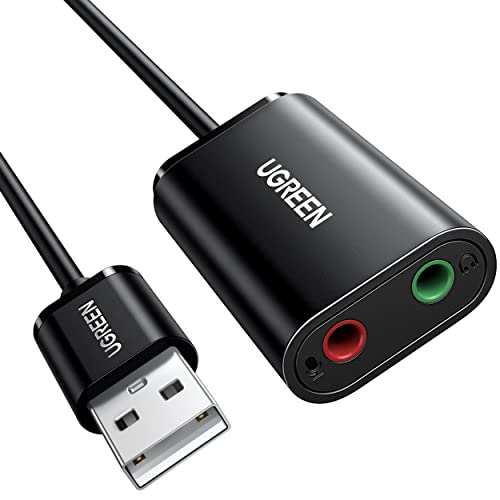
- The project’s top analog pick is a Clippy EM272Z1, which needs a USB sound card with plug-in power. It names the UGREEN USB sound card ($11.99) for that.
- Any outdoor mic needs a furry cover or wind drowns everything. A Movo 5-pack ($9.99) fits most lav mics.
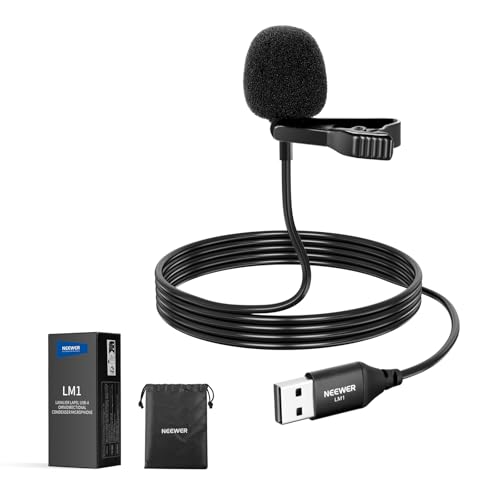
The fugleramme author says the mic matters more than the Pi, and after watching the scores below I agree.
For the display, fugleramme drives Pimoroni’s Inky Impression panels (13.3-inch or 7.3-inch Spectra 6) directly through Pimoroni’s inky library. Waveshare sells similar panels on Amazon, like the 13.3-inch Spectra 6 HAT ($313.99) or the much cheaper black-and-white 7.5-inch HAT ($69.99), but fugleramme doesn’t drive Waveshare panels out of the box. With one of those you’d fetch /collage.png and push it with Waveshare’s own library, the same way I do for the Kindle below.
My test rig: an RTSP stream pretending to be a backyard mic
This is a Mac, the test ran in a Docker VM, and the “mic” was a playlist. Docker on macOS can’t pass a sound card into a container (fugleramme’s compose example says the /dev/snd route is Linux only), so I used the other input BirdNET-Go supports: an RTSP stream. That’s the same path you’d use with a security camera’s audio or one of the ESP32 RTSP mics people build for it.
The audio came from xeno-canto: eight quality-A recordings from Canada, one per species, all CC BY-NC-SA 4.0. None of the eight recordists listed background species, so anything else BirdNET-Go reports counts as a false positive here. I converted each to the 48 kHz mono 16-bit WAV that BirdNET-Go’s docs ask for, joined them with 10 seconds of silence in between, and added 60 seconds of brown noise at the end as a control. The full playlist ran 529 seconds.
# one per recording: 48 kHz, mono, 16-bit, the format BirdNET-Go expects
ffmpeg -i XC957291.mp3 -ac 1 -ar 48000 -sample_fmt s16 XC957291.wav

# the noise control
ffmpeg -f lavfi -i "anoisesrc=color=brown:duration=60:sample_rate=48000:amplitude=0.3" \
  -ac 1 -sample_fmt s16 control-brown-noise.wav
The stack is three containers. Every port binds to 127.0.0.1, because none of this needs to face your network while you test it.
services:
  mediamtx:
    image: bluenviron/mediamtx:1.15.3
    ports:
      - "127.0.0.1:8554:8554"   # RTSP, so ffmpeg on the host can publish into it

  birdnet-go:
    image: ghcr.io/tphakala/birdnet-go:20261014
    environment:
      TZ: America/Edmonton
      BIRDNET_UID: 1000
      BIRDNET_GID: 1000
    volumes:
      - ./config:/config
      - ./data:/data
    tmpfs:
      - /data/logs:size=128M,uid=1000,gid=1000,mode=0755
      - /config/hls:exec,size=50M,uid=1000,gid=1000,mode=0755
    ports:
      - "127.0.0.1:8090:8080"   # BirdNET-Go dashboard

  fugleramme:
    image: ghcr.io/arnegiacomo/fugleramme:0.29.0
    environment:
      FUGLERAMME_DETECTOR_URL: http://birdnet-go:8080
      FUGLERAMME_PRIMARY_LANGUAGE: en   # the default is Norwegian
      TZ: America/Edmonton
    volumes:
      - fugleramme:/data
    ports:
      - "127.0.0.1:8080:8080"   # the frame, plus /admin

volumes:
  fugleramme:
BirdNET-Go writes a default config/config.yaml on first start. I removed the sound card source, added the stream, and set a location so the range filter knows which birds to expect. Edmonton’s coordinates gave a list of 124 likely species for late October.
birdnet:
    latitude: 53.5461
    longitude: -113.4938
    locationconfigured: true
realtime:
    audio:
        sources: []           # no sound card inside a Mac container
    rtsp:
        urls:
            - rtsp://mediamtx:8554/birds   # migrated to "streams:" on first load
Then I pushed the playlist in real time, exactly as a live mic would deliver it:
ffmpeg -re -i playlist.wav -c:a pcm_s16be -f rtsp -rtsp_transport tcp rtsp://127.0.0.1:8554/birdsI ran it twice. Pass 1 used BirdNET-Go’s defaults (0.7 confidence threshold, dynamic thresholds on). Pass 2 wiped the database and dropped the threshold to 0.1 to see far more of what the model scored.
What BirdNET-Go actually heard
Here’s every database row, assigned to the recording that was playing at the time. Two weak pass-2 rows (Pine Siskin 0.43, House Sparrow 0.23) start in the silence just before a file, so their placement is my best guess. Confidence is BirdNET’s score from 0 to 1.
| Recording | Pass 1 (0.7, defaults) | Pass 2 (0.1), right species | Pass 2, wrong species |
|---|---|---|---|
| Black-capped Chickadee | 1.00, 0.97 | 1.00, 0.93 | Boreal Chickadee 0.15 |
| American Robin | 0.97, 0.65 | 0.99, 0.96, 0.62 | none |
| Dark-eyed Junco | 0.95, 0.93, 0.71 | 0.95, 0.90, 0.70 | Red-breasted Nuthatch 0.59, 0.31, 0.21; Yellow-rumped Warbler 0.23, 0.15 |
| Black-billed Magpie | 1.00 | 0.98 | none |
| Red-breasted Nuthatch | 0.99, 1.00 | 0.99, 1.00 | White-throated Sparrow 0.50, Pine Siskin 0.43, White-breasted Nuthatch 0.10 |
| Downy Woodpecker | 0.93, 0.83 | 0.94, 0.89 | Hairy Woodpecker 0.16 |
| House Sparrow | nothing | 0.40, 0.31, 0.23 | none |
| Blue Jay | Cedar Waxwing 1.00, 0.56 | 0.14 | Cedar Waxwing 0.99, 0.96; Northern Flicker 0.19 |
| Brown noise (60 s) | nothing | nothing | nothing |
On defaults, the frame ended up with seven birds: six right ones and a Cedar Waxwing. That’s a better hit rate than I expected from a model listening to an RTSP stream inside a Docker VM.
The misses: the House Sparrow recording is a fast chatter in a bush, and BirdNET never scored it above 0.40. At the default threshold it simply doesn’t exist. The Blue Jay is the stranger one. The recordist labelled that file “call, song, pumphandle” and listed no background species, yet BirdNET-Go called it Cedar Waxwing at 0.99 and only gave Blue Jay a 0.14. I can’t tell you whether a waxwing is hiding in that recording or the model is confused by the jay’s bell-like notes, because my ears aren’t trained for it.
The near misses at 0.1: most of the wrong species are close relatives (Boreal Chickadee, Hairy Woodpecker, White-breasted Nuthatch) or other trilling songbirds during the junco’s trill. The one that worries me is Red-breasted Nuthatch at 0.59 during the junco file, because that’s not far below 0.7.
The dynamic threshold: two pass-1 rows sit under 0.7 (the robin at 0.65 and the waxwing at 0.56). That’s BirdNET-Go’s dynamic threshold, on by default: after a species scores 0.9 or higher, its bar drops for a while so the follow-up calls still count. It’s sensible for real birds that sing in bursts, and it’s also how one confident mistake gets a second row.
The noise: 60 seconds of brown noise produced nothing at all, even at 0.1. Wind is a different shape of noise, so don’t skip the windscreen.
Based on this test: leave the threshold at 0.7 for the frame. Pass 2 took the species count from 7 to 16, and 7 of the 9 new ones were wrong. A picture frame that confidently shows birds you didn’t have is worse than one that misses a sparrow.
RAM and CPU while it listened
These come from docker stats sampled about every six seconds during each 9-minute pass. A big caveat: another job was running CPU benchmarks on the same Mac at the time (load average 13 at the start, over 70 during pass 2), so treat the CPU figures as ceilings. Docker reports CPU per core, so 100% means one full core.
| Container | CPU mean / peak | RAM mean / peak |
|---|---|---|
| BirdNET-Go (pass 1) | 8.9% / 34.3% | 340 / 348 MiB |
| BirdNET-Go (pass 2) | 10.6% / 44.4% | 256 / 267 MiB |
| fugleramme (pass 1) | 3.1% / 80.6% | 135 / 248 MiB |
| fugleramme (pass 2) | 8.7% / 113.1% | 194 / 318 MiB |
| mediamtx | 0.5% / 1.1% | 10 / 11 MiB |
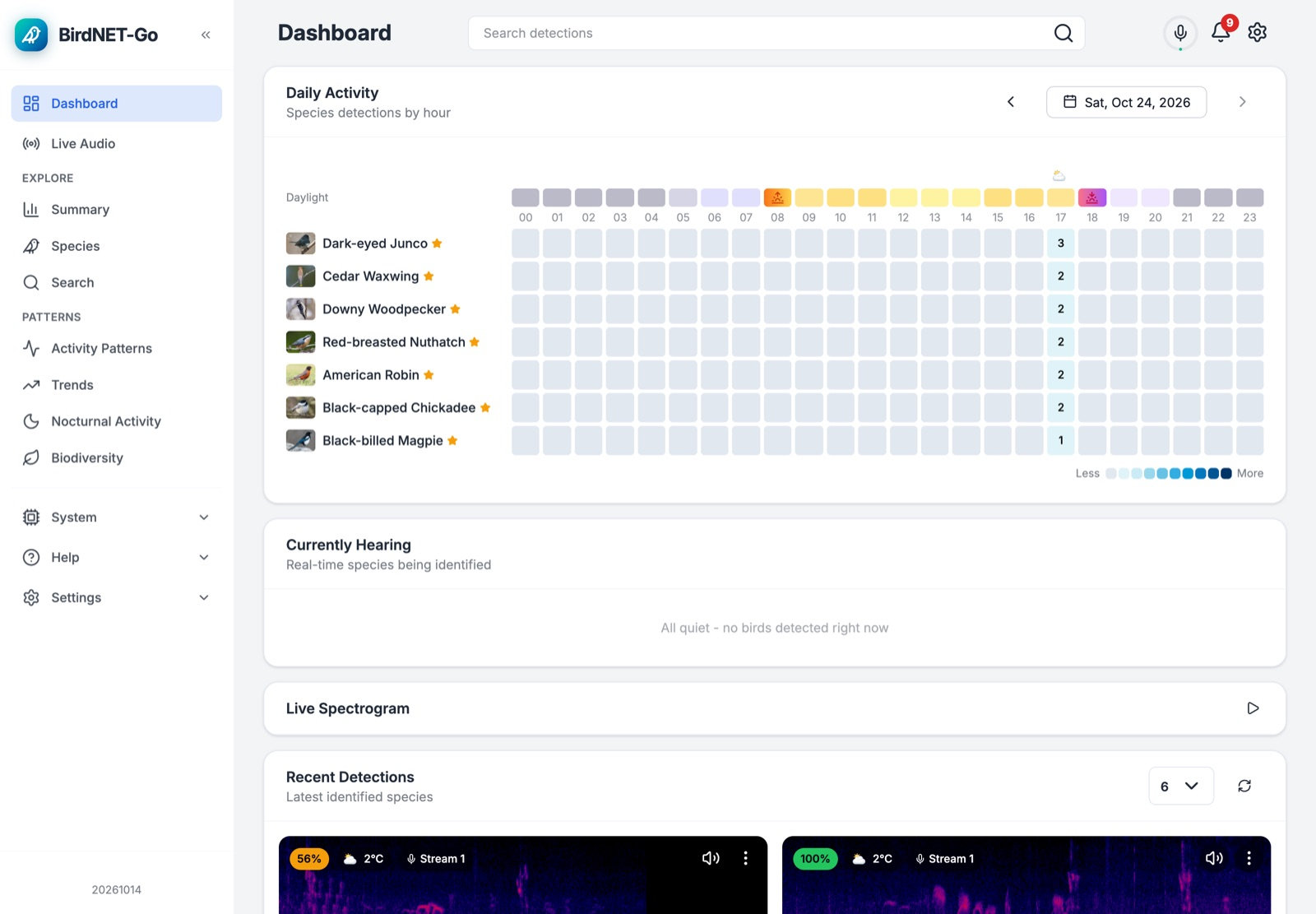
Fugleramme’s median CPU was 0.0% in both passes. It only wakes up to redraw when the bird list changes, and a redraw briefly takes about one core. Add it up and the whole thing peaks somewhere around 600 MiB, which is why a 2GB Pi is plenty. The images themselves are 346 MB for BirdNET-Go and 327 MB for fugleramme on arm64, so leave some room on the SD card for those plus the 15-second clips BirdNET-Go saves for every detection.
Putting the birds on an old Kindle
An Inky panel is the proper frame. But if you followed my Paperwhite revival, your jailbroken Kindle runs Pascal’s kindle-dash, which fetches one PNG on a schedule and draws it with eips. All it needs is a PNG in the right shape: for a Paperwhite 7 that’s 1072x1448, 8-bit grayscale.
Fugleramme already does the hard part. I started a second instance in portrait mode, pointed at the same BirdNET-Go:
  fugleramme-kindle:
    image: ghcr.io/arnegiacomo/fugleramme:0.29.0
    environment:
      FUGLERAMME_DETECTOR_URL: http://birdnet-go:8080
      FUGLERAMME_PRIMARY_LANGUAGE: en
      FUGLERAMME_WEB_PORTRAIT: "true"
      FUGLERAMME_WEB_ASPECT: "4:3"
      FUGLERAMME_WEB_RESOLUTION: 1440p
      TZ: America/Edmonton
    volumes:
      - fugleramme-kindle:/data
    ports:
      - "127.0.0.1:8081:8080"
Add fugleramme-kindle: under the volumes: block too. Its /collage.png came out at 1440x1920, a 3:4 page that’s close to the Paperwhite’s shape. One script on the server turns it into a Kindle image:
#!/bin/sh
# Pull the portrait collage and turn it into what a Paperwhite 7 wants:
# 1072x1448, 8-bit grayscale PNG. Run it from cron every 15 minutes.
FRAME=http://127.0.0.1:8081          # the portrait fugleramme instance
OUT=${OUT:-/srv/kindle}              # any folder a web server serves

curl -fsS "$FRAME/collage.png" -o "$OUT/collage.png" || exit 1
magick "$OUT/collage.png" -resize 1072x1448 -background white \
  -gravity center -extent 1072x1448 -colorspace Gray -depth 8 \
  -define png:color-type=0 "$OUT/bird-frame.tmp.png" &&
  mv "$OUT/bird-frame.tmp.png" "$OUT/bird-frame.png"
magick identify on the result reported PNG 1072x1448 8-bit Grayscale Gray 256c, which is the format my Paperwhite’s eips -i asked for. The script uses ImageMagick 7; on distros that still ship ImageMagick 6, swap magick for convert. Serve the folder with anything on port 8088. For the test I ran python3 -m http.server 8088 --bind 127.0.0.1 from that folder; for the Kindle, bind it to the server’s LAN address instead. Then point kindle-dash’s local/fetch-dashboard.sh at it:
#!/usr/bin/env sh
# on the Kindle: kindle-dash calls this with the path to write the PNG to
"$(dirname "$0")/../xh" -d -q -o "$1" get http://your-server:8088/bird-frame.png
I generated and served that grayscale PNG and fetched it back over HTTP, but I haven’t pushed it to the Kindle on my desk. That one is busy telling me it’s cold outside. The fetch line is kindle-dash’s stock script with the URL changed.
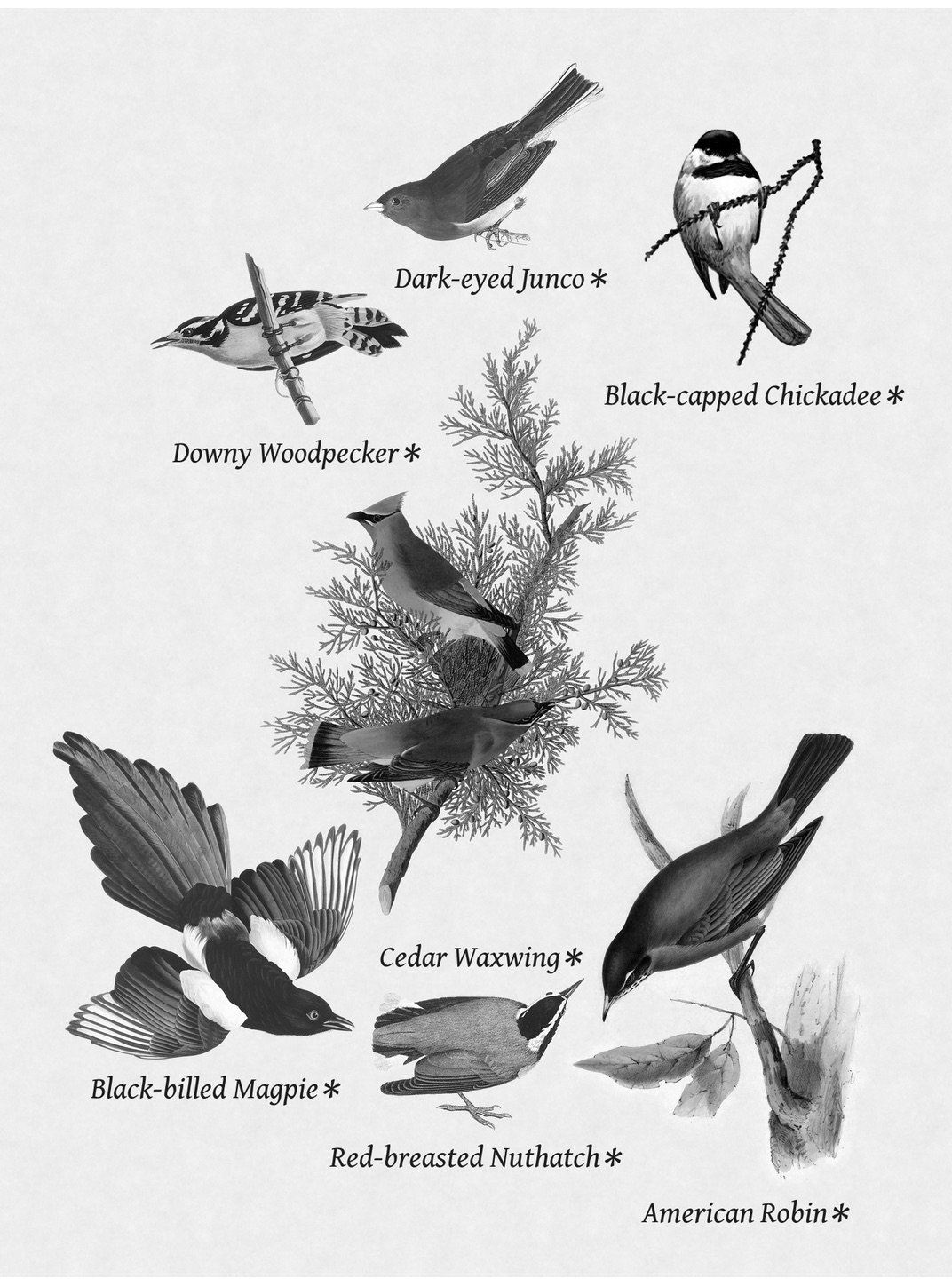
The illustrations survive the trip to gray better than I expected, and the magpie and chickadee still look great. The robin loses its orange and ends up a fairly generic gray bird.
A 6-inch screen showing seven birds is small, and grayscale throws away half the charm of hand-colored plates. For a Kindle that’s already sitting in a drawer, I’ll take it.
Speed bumps I hit along the way
- BirdNET-Go’s wiki still shows
birdnet-go file soundscape.wavfor offline analysis. The 20261014 binary hasserve,benchmark,rangeand a few others, but nofile. That’s what pushed me to the RTSP setup. - Fugleramme’s default species language is Norwegian. Set
FUGLERAMME_PRIMARY_LANGUAGE: enunless you want to learn that a Black-billed Magpie is a “svartnebbskjære”. - Fugleramme’s environment variables are seeds, not overrides. They only apply until you save a setting in
/admin. After that the admin page wins, so changing the compose file later does nothing. Delete the volume to start over. birdnet-go range printwith Edmonton’s coordinates listed all 6,522 species at a score of 0.0000, while the running service logged 124 species in range. Trust the service log.- With default settings BirdNET-Go fetched a forecast from MET Norway’s yr.no API (api.met.no) on startup. Harmless, but worth knowing if you expect zero outbound traffic.
- You don’t need an open window. A thin mic cable squeezed through the window seal works, or an RTSP source that already lives outside. That’s why I listed the 20 ft Movo.
Frequently asked questions
Does BirdNET-Go need a GPU? No. It ran on the CPU at about 10% of one core on average in my test. BirdNET-Go’s docs say a Pi 4B can handle the default model, though a Pi 5 is recommended for the web UI and extra models.
Can I run it without a microphone? Yes. BirdNET-Go accepts RTSP streams, so a security camera with a mic or a small ESP32 RTSP mic works. Fugleramme can also read a public BirdWeather station instead of your own detector.
How accurate is BirdNET-Go? Good on clean recordings: the results table above has every score. The two weak spots were a chattering House Sparrow it never scored above 0.40 and a Blue Jay file it confidently called something else. Real outdoor audio with wind, traffic and distance will be harder than clean xeno-canto recordings.
Will it work on a Kindle without a jailbreak? No. The Kindle route needs a jailbroken Kindle running kindle-dash or similar. My Kindle dashboard guide covers which models and firmware versions work.
Is a Raspberry Pi 5 with 2GB enough? Yes for one mic and the default model. Both containers together stayed well under 1GB of RAM in my test, so there’s room left for the OS.
Now I need a long USB cable and a window that doesn’t leak heat. 🐦
Last updated: November 2026