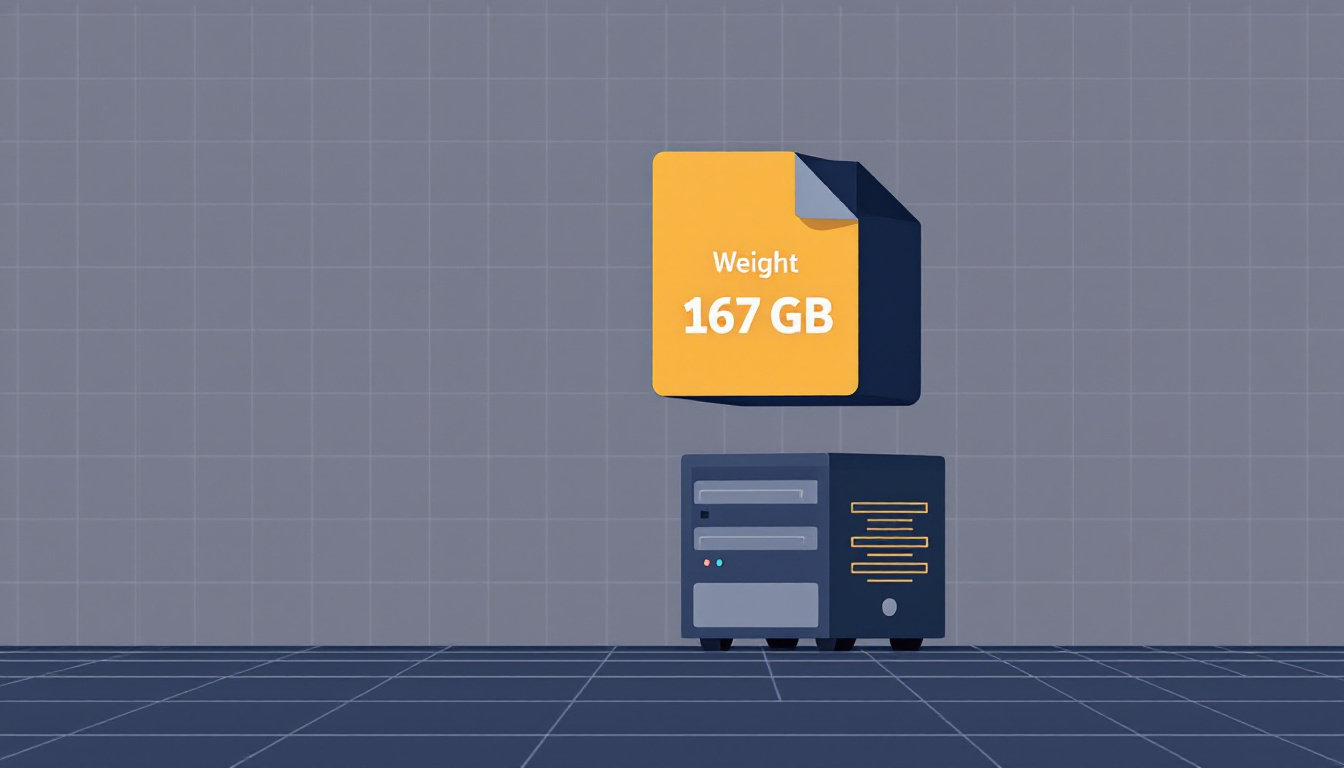
A week ago I wrote about seeding the Kimi K3 torrent because actually running a 1.56 TB model would take twelve Strix Halo boxes, and my wife had seen that spreadsheet and vetoed it. Four days after I published that post, DeepSeek shipped a frontier-class model that’s 167GB.
I priced out twelve machines to run Kimi. The machine that runs DeepSeek V4 Flash was already on my desk.
TL;DR:
- DeepSeek-V4-Flash-0731 is a 284B mixture-of-experts model, MIT-licensed, scoring within a point of GLM-5.2 and GPT-5.6 Luna. The 4-bit release is 167GB.
- You need roughly 100-170GB of fast memory depending on quant. A 256GB Mac holds it outright. A 128GB Strix Halo box like the ACEMAGIC M1A PRO+ at $3,299 runs the 3-bit quant almost entirely in memory.
- llama.cpp runs it on all three OSes with the same GGUF files, and the new DSpark speculative decoding adds a reported 30-50% on top.
- Expect very roughly: tens of tokens/sec on big unified-memory machines, ~10 tokens/sec on DDR4 workstation builds, 1 token/sec on a phone (yes, a phone).
What DeepSeek shipped on July 31
The DeepSeek-V4-Flash-0731 release is the “small” sibling of the upcoming V4 Pro:
| DeepSeek-V4-Flash-0731 | |
|---|---|
| Total parameters | 284B (mixture-of-experts, ~13B active) |
| 4-bit QAT release size | 167GB |
| Context window | 1M tokens |
| Max output | 384K tokens (high/max reasoning) |
| Reasoning effort levels | low, high, max |
| License | MIT |
| Terminal Bench 2.1 | 82.7 |
The benchmark story is what set the local-AI corners of the internet on fire for a week straight. On the Artificial Analysis intelligence index it scores 50, one point behind GLM-5.2 and GPT-5.6 Luna. The framing that stuck with me, from the thread that blew up on r/LocalLLaMA: models you can run at home now match the intelligence of the top frontier model from March 2026.
When I wrote about Gemma 4 on cheap mini PCs in June, the gap between “best model money can buy” and “best model you can own” was about 18 months. It’s now about four.
Why bother when the API costs pocket change
Fair question, because API access to this exact model is absurdly cheap, and if all you want is answers, the API will serve them faster than any hardware in this post.
Here’s what running it at home buys instead. A model this smart is exactly the kind you end up trusting with things that shouldn’t leave your house: your codebase, your contracts, the medical question you’d rather not have attached to an account. Local means none of that becomes a provider’s retention-policy footnote. It works with the network cable unplugged, which is not a hypothetical to me; I’ve written before about why self-hosting beats renting even when renting is cheaper on paper.
And the weights are MIT-licensed files on your own disk. Nobody can deprecate them, quietly tune away the behavior you liked, or triple the price next quarter. The model you download today is the model you have in ten years.
Also, it’s a frontier-class model running in your living room. Some of you don’t need more reasons than that.
The hardware ladder: what can actually hold it
V4 Flash is sparse. Of the 284B parameters, only a small slice works on any given token, so what matters is capacity: enough fast memory to hold the weights, or a fast enough NVMe to stream the cold experts in and out. That gives you a ladder:
| Tier | Hardware | Cost | Fits |
|---|---|---|---|
| Big unified Mac | Mac Studio, 192GB+ unified memory | you already own it, or ~$5,500+ new | full 4-bit in RAM |
| Strix Halo mini PC | 128GB LPDDR5x, 256 GB/s | $3,299-4,349 | 3-bit nearly all in RAM, 4-bit with NVMe streaming |
| Used workstation | 192GB DDR4 + used 3090 | ~$2,000 assembled | full 4-bit in RAM |
| Desktop upgrade | 96GB+ DDR5, 24GB GPU | $1,500-2,500 in parts | 2-bit in RAM, larger quants stream |
Check your Mac first. My Mac Studio is an M3 Ultra with 256GB of unified memory. I did not buy it for this; it’s my daily work machine. But 256GB of unified memory at 819 GB/s is, embarrassingly, close to ideal local-LLM hardware, and the 167GB release fits in it with 80GB to spare. If you already own a 128GB or 192GB Apple Silicon Mac, check the quant table before buying anything.
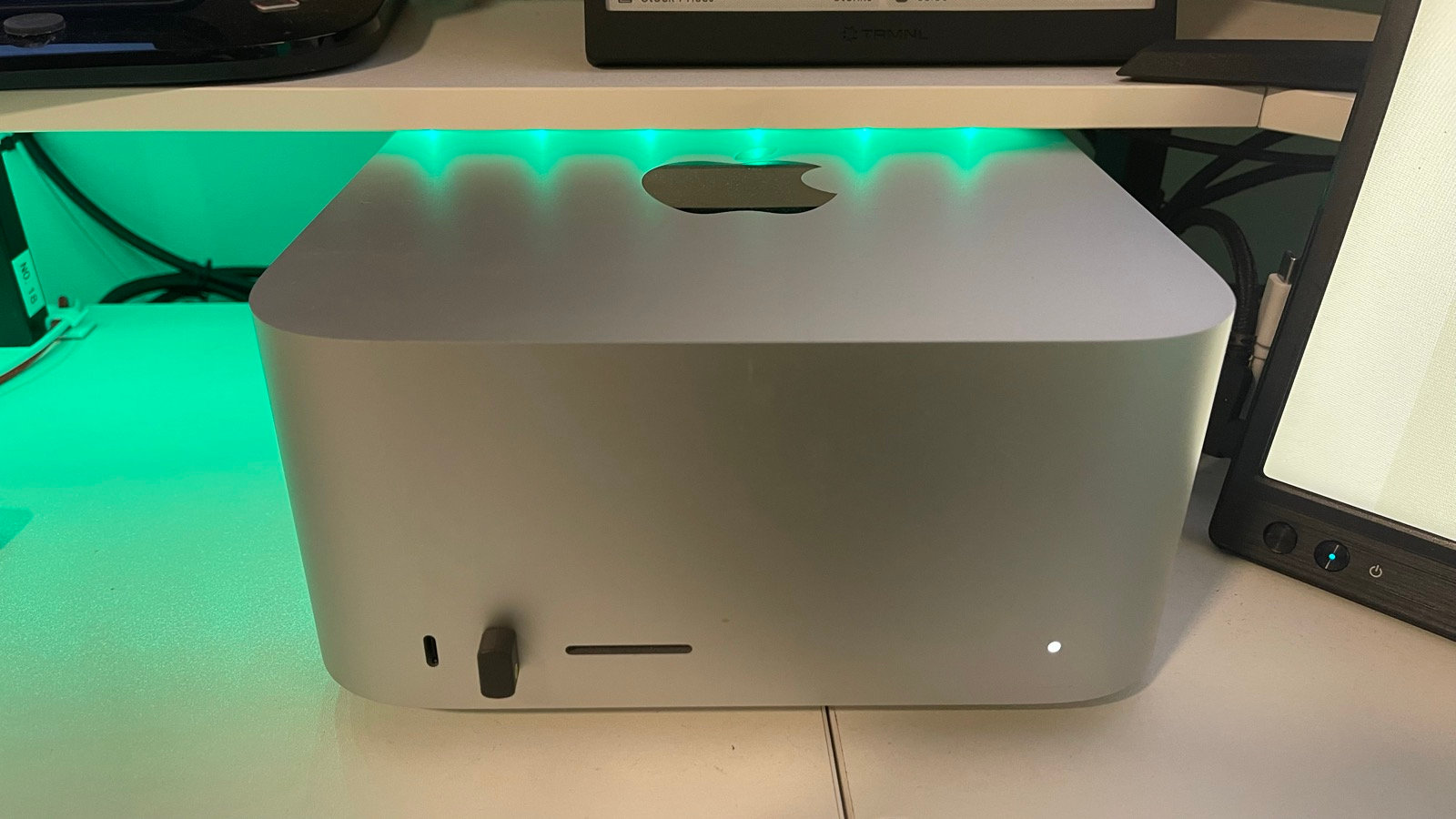
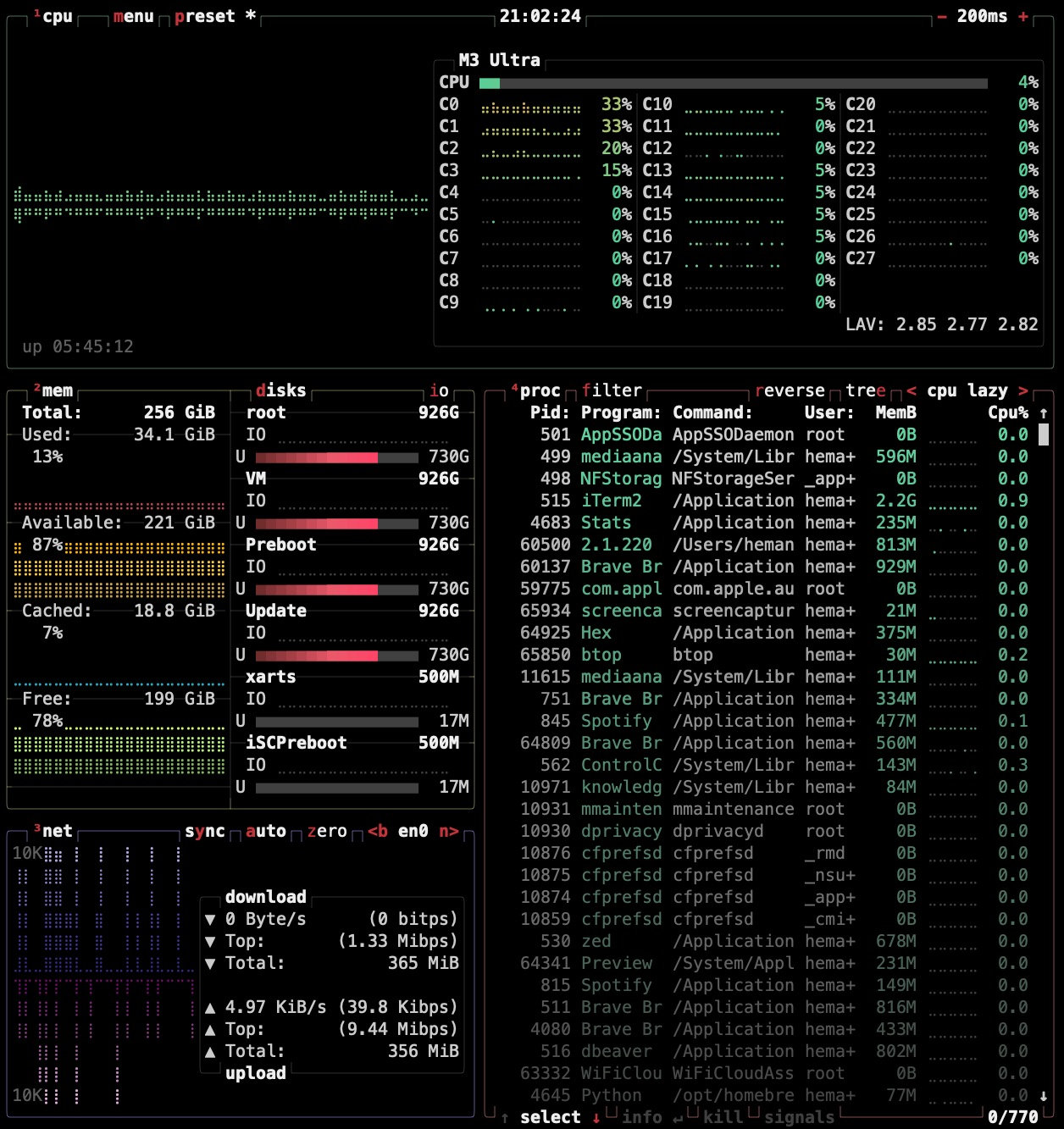
It’s idling at 34GB used. Plenty of room for a 155GB house guest.
The Strix Halo tier is what I’d buy today if I didn’t have the Mac. 128GB of unified LPDDR5x in a shoebox, around 140W under load. I covered the platform in my local LLM mini PC guide; the 128GB configs currently on Amazon:
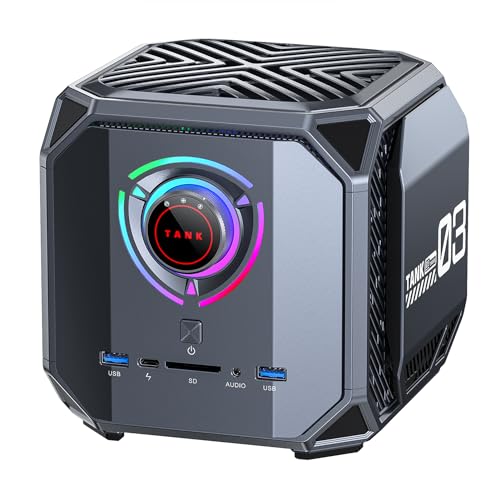
- ACEMAGIC M1A PRO+, $3,299: cheapest 128GB Ryzen AI MAX+ 395 box right now, 2TB SSD, and an OCuLink port if you ever want to bolt on a GPU
- NIMO AI Mini PC, $3,499: same chip, 128GB at 8000MHz, markets itself specifically as a local-AI server
- Beelink GTR9 Pro, $4,349: the quiet one, if the box lives anywhere near where you sit
For price context: the GMKtec EVO-X2 128GB sold for $1,999 in its launch week, sat at $3,299 when I last updated the local LLM guide, and is $3,649 today. Every big open-weights release adds a fresh wave of buyers who need exactly this much unified memory.
The workstation tier is the value play. Old dual-socket workstations (Lenovo P520, Dell Precision 7820) take 192GB of cheap DDR4 without complaint. One launch-week build recipe that made the rounds: ~$300 workstation, ~$800 of DDR4, ~$1,000 used 3090. About $2,000 for the full model in RAM. I haven’t built it, so file the details under community math, but the individual part prices check out.
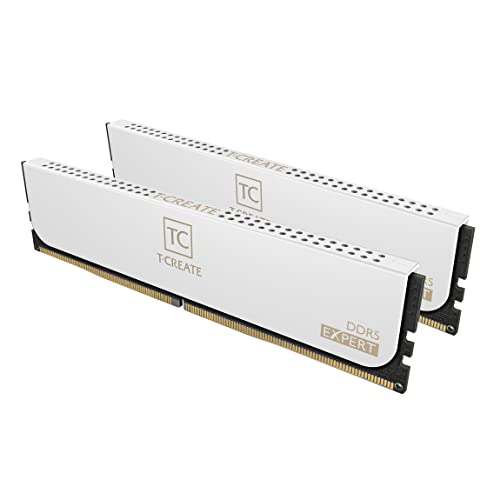
And if you’re upgrading a desktop you already own: the RAM market is not kind right now. A 96GB DDR5 kit like the TEAMGROUP T-Create Expert runs $1,519, and the G.SKILL Trident Z5 Neo with AMD EXPO tuning is $1,899. A year ago 128GB of DDR5 cost $300-500. I’m not saying model releases and RAM prices are related, but I’m also not not saying that.
Which quant to download
Everything below uses Unsloth’s GGUF conversions, which is what most of the community is running:
| Quant | Size | Needs |
|---|---|---|
| UD-Q4_K_XL | 155GB | 192GB+ memory, or patience with NVMe streaming |
| UD-Q3_K_XL | 128GB | fills a 128GB Strix Halo box or 192GB Mac comfortably… almost |
| UD-Q2_K_XL | 97GB | the 96GB-desktop tier, just barely |
| UD-IQ1_M | 87GB | proof-of-concept territory |
A note on that “almost”: a 128GB machine running a 128GB file still needs room for the OS, the KV cache, and llama.cpp itself. In practice 128GB boxes run the Q3 with mmap doing light streaming for the overflow, and it works because experts swap only partially between tokens. Sub-100GB quants are where a 128GB box gets comfortable.
Quality-wise, the official release is quantization-aware trained at 4-bit, so UD-Q4_K_XL is essentially the model as DeepSeek intends it. Q3 is a mild haircut. Q2 and below are for proving a point.
The stunt tier, because of course
Within days of release, someone had V4 Flash generating at 1 token/sec on a phone, streaming experts from flash storage with an experimental Android app called BigMoeOnEdge. At a brutal 2-bit quant, but still: a frontier-class model, on a phone, at a speed you could read along with.
Same week, same energy: Kimi K3, the 1.56 TB monster I could only seed, reportedly coaxed into producing one token every 33 seconds on a single CPU with 8GB of RAM. Nobody will use it that way, and that’s not the point. “Can it run at all” has stopped being the question for any hardware made this decade. The question is only “at what speed, for what money.”
Running it on a Mac (what I’m doing)
Apple Silicon is the low-drama path because llama.cpp’s Metal backend uses unified memory natively. Three commands:
# 1. Install llama.cpp
brew install llama.cpp

# 2. Serve the model straight from Hugging Face
#    (first run downloads the 155GB quant, so plan around it)
llama-server -hf unsloth/DeepSeek-V4-Flash-0731-GGUF:UD-Q4_K_XL \
  --jinja -c 32768 --port 8080

# 3. Talk to it at http://localhost:8080 (built-in web UI)
Two Mac-specific things worth knowing before the download finishes:
- The wired memory limit. macOS caps how much unified memory the GPU can wire down (roughly three quarters of total). On a 256GB machine that cap is comfortably above the Q4 file, but on a 128GB or 192GB Mac loading a big quant, Metal may refuse the allocation. The escape hatch is raising the limit, e.g.
sudo sysctl iogpu.wired_limit_mb=114688to let a 128GB Mac wire ~112GB. Set it back after, or don’t, I’m a blog post not a cop. - Context costs memory too. The million-token window is real but every token of context eats KV cache. Start at 32K and grow it only if your RAM headroom agrees.
On speed, I’ll be honest about what I know and don’t: I haven’t put real hours on it yet, so I have no measured number of my own. Napkin math says the ~13B active parameters at 4-bit mean roughly 7-8GB of weight reads per token, which against the M3 Ultra’s 819 GB/s bandwidth puts the theoretical ceiling near 100 tokens/sec; big MoE models on Apple Silicon historically land at a quarter to half of theoretical. So I’m expecting something in the 25-45 tokens/sec band, and I’ll update this post with the real number once I have a week of use on it.
Running it on Linux or Windows
Same GGUF files, same llama.cpp, different install path.
Linux
# Build with CUDA (NVIDIA) or leave the flag off for CPU-only
git clone https://github.com/ggml-org/llama.cpp
cmake -B build -DGGML_CUDA=ON llama.cpp
cmake --build build --config Release -j

# Hybrid GPU+RAM: keep attention layers on the GPU,
# stream the big expert tensors from system RAM
./build/bin/llama-server \
  -hf unsloth/DeepSeek-V4-Flash-0731-GGUF:UD-Q4_K_XL \
  --jinja -c 32768 -ngl 99 -ot ".ffn_.*_exps.=CPU"
That -ot flag is the trick that makes the desktop tier work: the always-active layers (attention, shared experts) live in your 24GB of VRAM, and the rotating experts live in system RAM. If the model is bigger than your RAM, llama.cpp’s default mmap behavior streams the overflow from NVMe, slower but functional.
Rough expectations by build: the 192GB DDR4 workstation recipe is reported around 10 tokens/sec. A 96GB DDR5 desktop with a 3090 running Q2 lands in the same neighborhood. Multi-GPU rigs with the whole model in VRAM were reporting 27 tokens/sec before speculative decoding and 40 after, but if you own 192GB of VRAM you didn’t need this guide.
Windows
Grab a prebuilt llama.cpp release (CUDA or Vulkan zip, no compiler needed) and run the same llama-server command from PowerShell. Or skip the terminal entirely: LM Studio can search for the Unsloth GGUF by name and handles download, offload split, and chat UI in one window. Expect performance close to the equivalent Linux config, minus a little for driver overhead.
The DSpark speedup
On August 2, llama.cpp merged MTP and DSpark support for V4 Flash. DSpark is speculative decoding: a tiny drafter model proposes tokens, the big model verifies them in batches, same output, fewer full forward passes.
One wrinkle: the 0731 release didn’t ship a usable MTP module, so the path that works is DSpark with the drafter the PR author published. Download it, then add:
# Add to any llama-server command above
-md DeepseekV4-Flash-20260731-DSpark.gguf --draft-max 3
Early adopters report 30-50% faster generation, with the sweet spot at --draft-max 2-3 and diminishing returns beyond. The drafter adds about 11GB, small next to the 155GB main model, though worth budgeting for on a 128GB box. This is the closest thing to a free lunch in local inference right now.
FAQ
Can I run DeepSeek V4 Flash on 64GB of RAM? Not realistically. Even the 1-bit quant is 87GB. With aggressive NVMe streaming you might coax tokens out, but at seconds per token. 96GB is the practical floor, and it buys you the Q2.
Do I need a GPU?
No. The workstation tier runs CPU-only at usable speeds because only ~13B parameters are active per token. A 24GB GPU helps most as a home for the always-active layers, which is what the -ot flag arranges.
Is the 4-bit version noticeably worse than full precision? The release is quantization-aware trained: DeepSeek optimized for 4-bit during training rather than rounding down afterward. The published benchmarks describe the 4-bit configuration, and it’s the form DeepSeek intends you to run.
Which Mac can run it? 256GB machines run the Q4 with headroom. 128GB Macs (like the M4 Max) fit the Q2 comfortably and the Q3 with the wired-limit bump and modest context. 64GB Macs should stick with Gemma 4 class models, which are no consolation prize.
Should I buy hardware for this now or wait? If you own nothing that fits: the ACEMAGIC M1A PRO+ at $3,299 is the cheapest 128GB box today. But these machines sold for $1,500-2,000 within the last year, the prices are demand-driven, and the models keep getting smaller and better. Waiting is a legitimate strategy.
Resources
- Kimi K3 torrent: the 1.56 TB big sibling, if hoarding is more your speed
- Best mini PC for local LLMs in 2026: the full Strix Halo platform breakdown
- Run Gemma 4 on a mini PC, no GPU required: what a 32GB box can already do
The gap between the frontier and your desk is four months and one download. Mine starts tonight.
May your tokens be fast and your RAM be spacious, lol. 🤖
Last updated: August 2026