For the past 10 days, Qwen3.8 27B has been quietly running on my Mac Studio as a background assistant. It summarizes my RSS feeds into a morning digest, renames and files the PDFs I scan into something searchable, and handles whatever summarizing chore I throw at it. Mundane stuff. That’s the appeal: this is the first local model I’ve trusted enough to leave alone with mundane stuff.
Then last week the model was suddenly everywhere on r/LocalLLaMA, my feeds filled up with benchmark charts, and I realized I’d been sitting on the one thing most of those threads were missing: a machine that can actually run it properly, and time to measure it.
So I benchmarked it. Five timed runs per model, same prompts, same machine, plus a 1-bit experiment that surprised me twice. Here’s everything I measured, and what it means for the hardware you’d need to run this thing yourself.
TL;DR
- Qwen3.8 27B (Q4_K_M, 17GB) generates at ~14 tokens/s on my Mac Studio M3 Ultra via Ollama. Its predecessor qwen3.6:27b does ~28.6 tokens/s on the same machine.
- It also answers the same prompts in roughly a third the tokens, so wall-clock per finished answer is close to a tie.
- The 1-bit quant (6.7GB) runs at 27 tokens/s in llama.cpp and gets facts right, but it cannot commit to an answer.
- You need llama.cpp from the last couple of weeks. Older builds fail with
unknown model architecture: 'qwen35'. I hit this myself.- 32GB of RAM comfortably runs Q4. 16GB runs Q2. The RAM table below has the numbers per quant.
So what is Qwen3.8 27B?
Qwen3.8-27B is a 27.3B parameter dense model with a hybrid attention design (the architecture tag in the GGUF is qwen35, which matters later). It’s multimodal, with image and video understanding built in, carries a 262,144-token native context window, and ships under Apache 2.0. The official model card claims 61.7 on SWE-bench Pro and 89.2 on GPQA Diamond, numbers that would have been frontier-lab territory a year ago.
The community reaction skipped right past that benchmark table. What lit the threads up was what people did with the model in its first week: one team wired it into their coding pipeline as a drop-in for a paid API model and reported it held up, and OCR testers claimed quality above some commercial cloud tiers. The line from the most-upvoted thread that stuck with me: “this is the first local model that feels like more than a toy.”
My contribution is the one measurement most of those charts are missing: what this model actually does on Apple silicon you can buy today.
My numbers: 3.8 vs 3.6 on the same machine
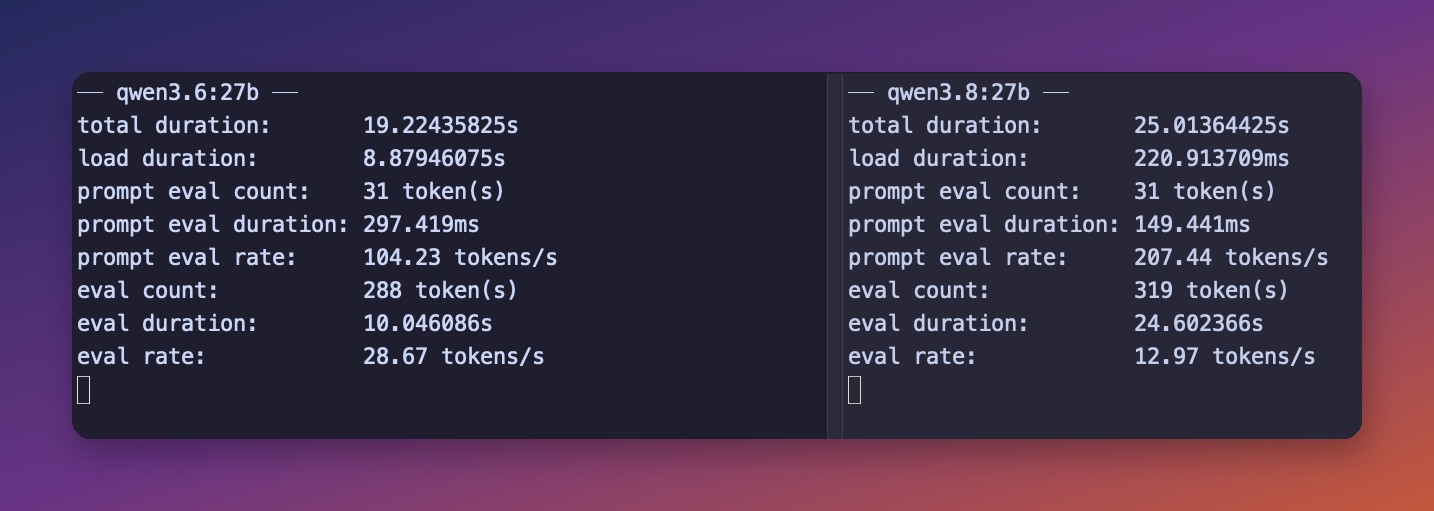
My daily machine is a Mac Studio M3 Ultra with 256GB of unified memory, the same box I used for the DeepSeek V4 Flash guide. I ran five timed generations per model through ollama run --verbose, varied technical prompts, ~200-500 word answers, and averaged the stats. Both models are the default Ollama Q4_K_M quant, both almost exactly 17GB on disk.
| qwen3.6:27b | qwen3.8:27b | |
|---|---|---|
| Generation speed (5-run avg) | 28.6 tok/s | 14.0 tok/s |
| Prompt processing | 95.0 tok/s | 93.1 tok/s |
| Run-to-run spread | 28.5-28.8 (rock stable) | 13.2-15.4 |
| Tokens used per answer | 1,950-3,340 | 890-1,090 |
The headline number first: the new model generates at half the speed of its predecessor. Same parameter count, same quant size, same machine. The hybrid attention architecture is new, and the Metal kernels in Ollama clearly haven’t caught up yet. I expect this gap to narrow as the runtimes mature; the same thing happened with other novel architectures.
It didn’t actually cost me time, though. Qwen3.8 answered the same prompts in roughly 1,000 tokens where 3.6 rambled through 2,000-3,300. The arithmetic: 2,058 tokens at 28.6 tok/s is 72 seconds, 955 tokens at 14.2 tok/s is 67 seconds. Slower per token, faster per answer.
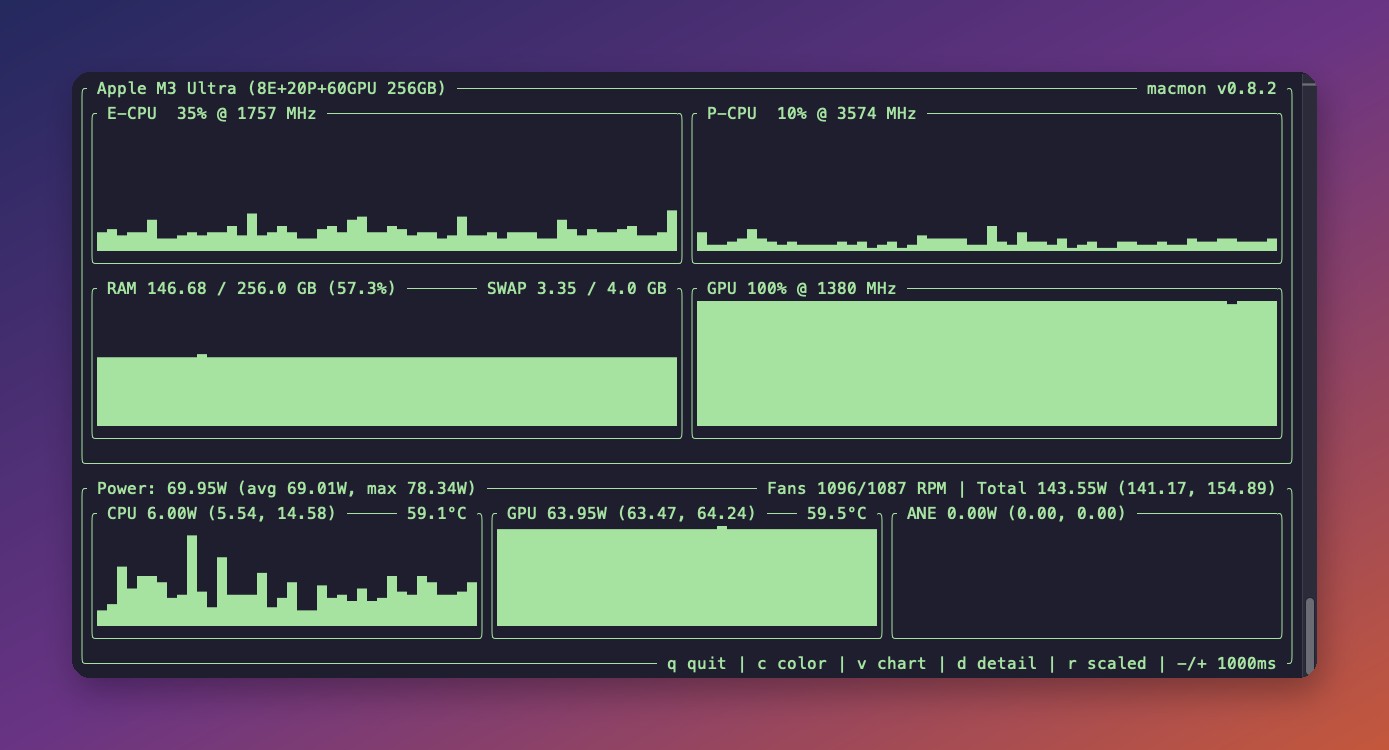
While it generates, the CPU barely notices, because on Apple silicon the inference runs on the GPU through Metal. The cover image of this post is exactly that moment, captured with macmon mid-generation: GPU pinned at 100% pulling 63.95W, CPU sipping 6W, answer streaming the whole time.
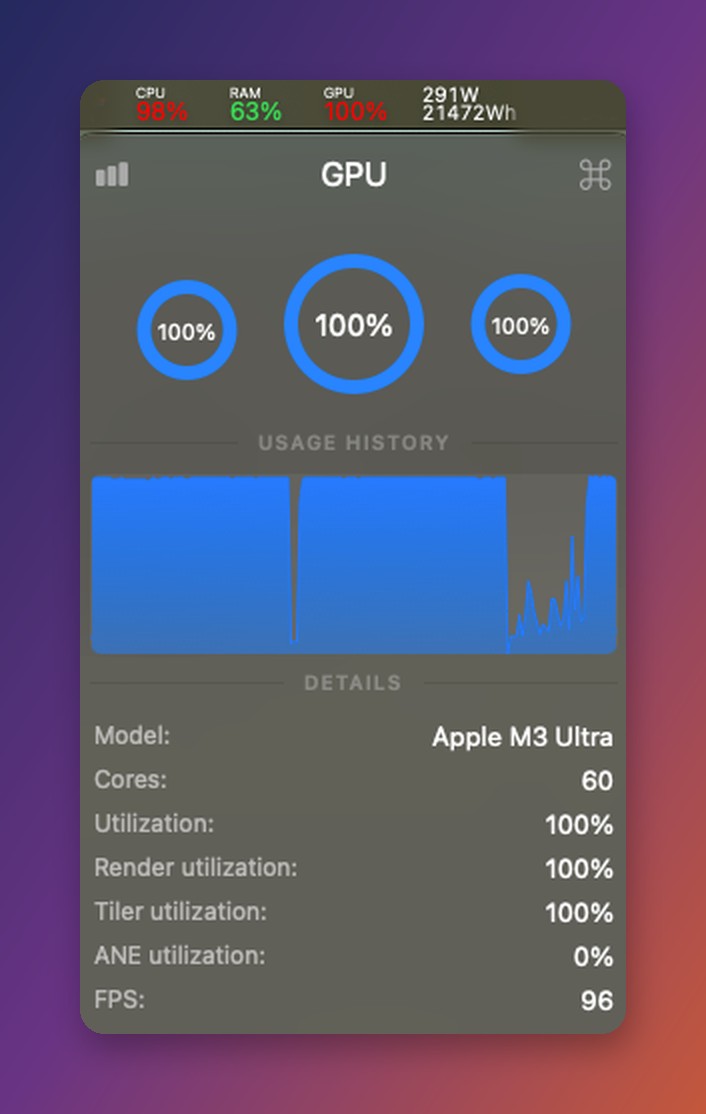
The Stats menu bar app tells the same story from the GUI side: all 60 GPU cores at 100%, system power draw touching 291W:
The 1-bit experiment: brain damage, measured
The single most-upvoted Qwen3.8 thread of the week celebrated Unsloth’s 1-bit quant, a 6.7GB file the poster affectionately called the “brain damage quant”. A 27B model in the memory footprint of a 7B. I had to try it.
It runs, and it’s quick:
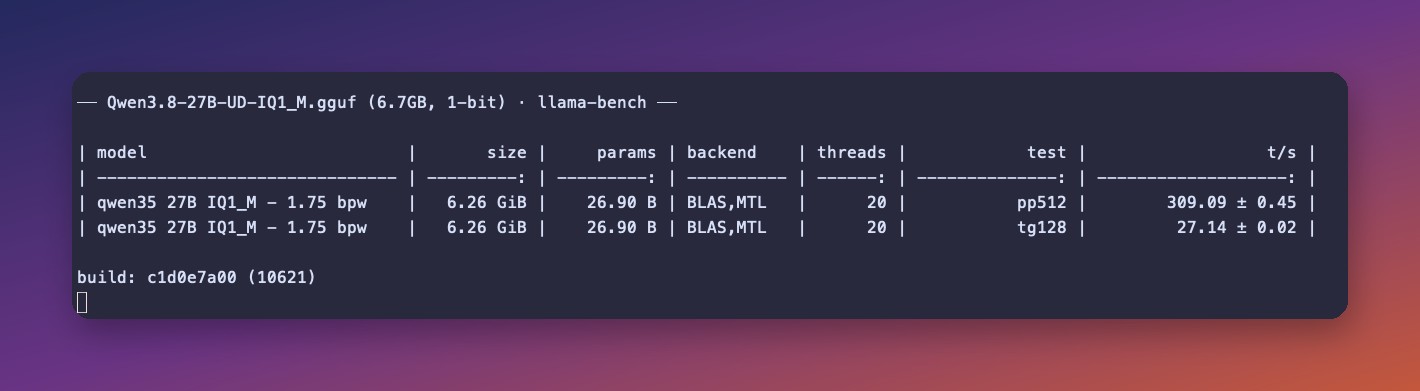
309 tok/s prompt processing, 27.2 tok/s generation. Nearly twice my Q4 speed, in under 8GB of RAM.
Then I asked it questions. Factual recall was genuinely fine: it knew Canberra is Australia’s capital and correctly explained the Sydney-Melbourne compromise behind it. But when I asked for a simple bash one-liner, it produced a working command and then couldn’t stop second-guessing itself, burning 400 tokens cycling through alternatives without ever committing to a final answer.
This matches what Unsloth themselves say: their quantization docs are blunt that 1-bit should not be used for agentic or tool-calling work, and their divergence testing shows accuracy on long tasks collapsing at 1-bit while general knowledge survives. Their stated minimum for tool calling is the Q2_K_XL quant at 9.8GB.
From my experience: the 1-bit quant is a party trick that teaches a real lesson. Quantization doesn’t degrade a model evenly. Facts survive, decisiveness dies. If your use case is “answer trivia fast on a potato,” it genuinely works. If it’s anything agentic, pay the extra 3GB for Q2.
How much RAM each quant needs
Unsloth publishes the full GGUF ladder, so here’s the practical version. Budget the file size plus a few GB for context and the vision projector.
| Quant | File size | Realistic minimum RAM | What runs it |
|---|---|---|---|
| UD-IQ1_M (1-bit) | 6.7GB | 16GB | Any modern mini PC |
| UD-Q2_K_XL | 9.8GB | 16GB | Any modern mini PC |
| UD-Q4_K_XL / Q4_K_M | 16-17.6GB | 32GB | Mid-range mini PC |
| UD-Q6_K | 22GB | 32GB (tight) / 48GB | High-RAM configs |
| Q8_0 | 29GB | 48-64GB | Strix Halo, Mac unified memory |
| BF16 | 54.7GB | 96GB+ | 128GB Strix Halo, Mac Studio |
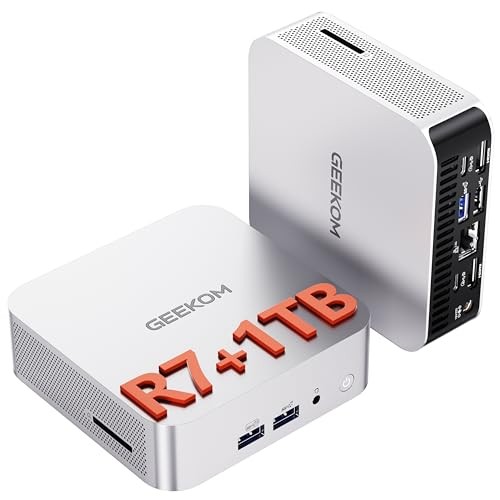
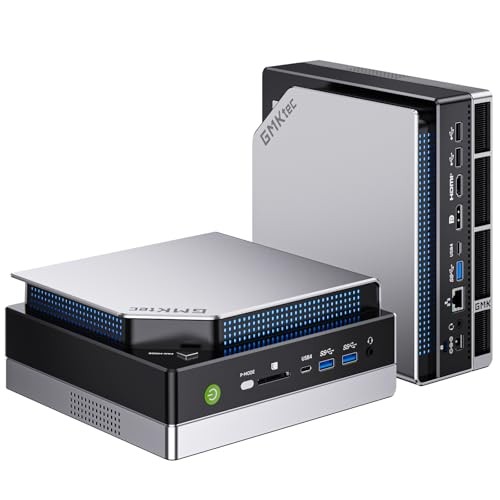
For the 32GB tier, boxes like the GEEKOM A6 with a Ryzen 7 6800H and 32GB or the GMKtec M6 Ultra with DDR5 run the Q4 quant the way my benchmarks above run it, just slower: think single digits of tokens per second on CPU inference rather than 14. That pace suits background jobs like mine; it would test your patience in an interactive chat.
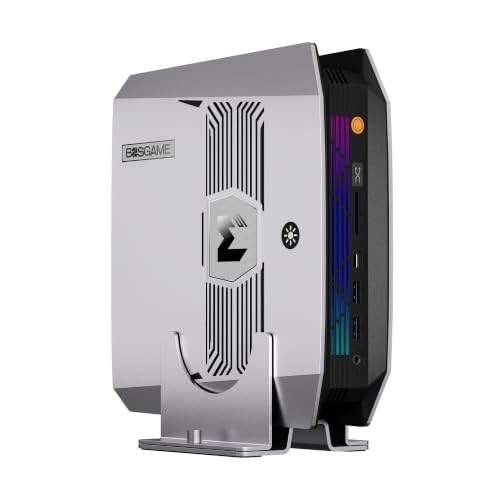
If you want the model at real speed without buying Apple, the community consensus target is AMD’s Strix Halo platform. The strix-halo-guide project measured the official Q4_K_M at 20.4 tok/s generation and 292 tok/s prompt processing on a Ryzen AI Max+ 395, with raw CSVs to back it. The GMKtec EVO-X2 with 64GB is the value entry into that platform at $1,999, and 128GB configs like the BOSGAME M5 open up the Q8 and BF16 rows of the table, plus much bigger models. I covered that whole platform decision in best mini PC for local LLMs.
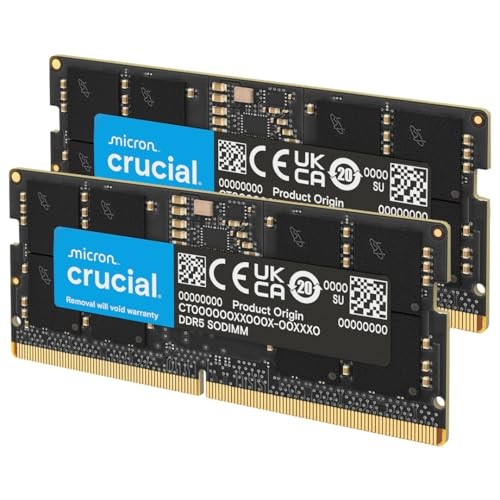
One warning from the current market: RAM prices are still inflated. A 64GB DDR5 SODIMM kit currently runs $750-870. If you’re buying a mini PC for local LLM work, buying it with the RAM already installed is currently cheaper than upgrading later, which is backwards from every instinct I’ve built over twenty years of buying computers.
GPU owners scale differently: community reports put a dual RTX 3090 setup around 60 tok/s and an RTX 5090 at 75-140 tok/s depending on runtime, with 16GB cards running IQ4 quants with quantized KV cache.
How to run it (and the gotcha that cost me 20 minutes)
Ollama is the short path. The model page is ollama.com/library/qwen3.8:
# pulls the default Q4_K_M, 17GB
ollama pull qwen3.8:27b

# --verbose prints the tokens/s stats you've seen in my screenshots
# --think=false skips the reasoning preamble for quick answers
ollama run qwen3.8:27b --verbose --think=false "your prompt"
Run it with --verbose and every answer ends with a stats block like this one:
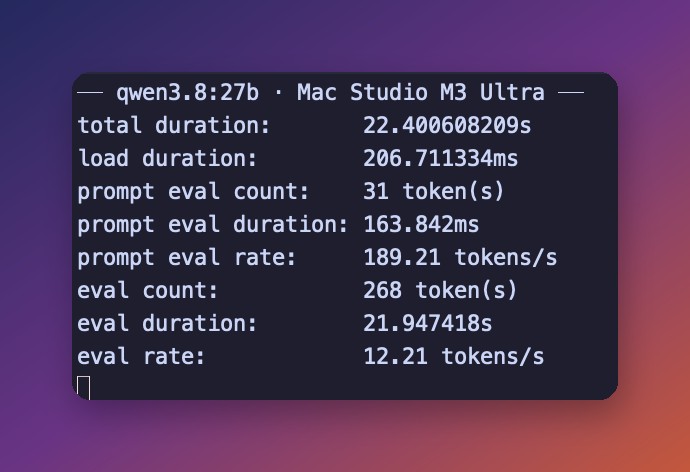
You’ll need Ollama 0.32.12 or newer; the model metadata declares it as a minimum.
For llama.cpp, here’s the gotcha. My Homebrew llama.cpp was a few weeks old, and it flatly refused the file:
llama_model_load: error loading model: unknown model architecture: 'qwen35'The hybrid architecture needs current kernels. brew update && brew upgrade llama.cpp fixed it, and the same vintage requirement applies to any llama.cpp-based frontend (LM Studio, Jan, koboldcpp): if Qwen3.8 fails to load, update the runtime before debugging anything else.
# grab a quant from the Unsloth GGUF repo, then:
llama-bench -m Qwen3.8-27B-UD-IQ1_M.gguf     # speed check
llama-cli -m Qwen3.8-27B-UD-IQ1_M.gguf -p "your prompt" -st
What it actually does for me all day
The benchmark numbers matter less to me than what the model has been doing since I pulled it: unglamorous background work that used to either not happen or leak to a cloud API.
The morning feed digest: a launchd job collects my RSS unread items overnight and has qwen3.8 compress them into one summary I read with coffee. The 262k context means a week of feeds fits in a single prompt.
Scan filing: paper mail gets scanned, and the model reads each PDF’s text and renames it into my YYYY-MM-vendor-what-it-is convention. The vision capability means it handles the scans OCR mangles.
And when a forum thread runs to 400 comments, it gets pasted in and summarized with positions attributed. This post’s research generated a few of those, which felt pleasantly circular.
None of this cares about tokens per second. The requirements are a model smart enough not to file the insurance letter as a takeout menu, hardware I already own, and nothing leaving the house. That’s the actual pitch for local models in 2026, and it’s the same argument I made in the self-hosting revolution: even the small cloud dependencies are worth replacing.
FAQ
Can I run Qwen3.8 27B on 16GB of RAM? Yes, at 1-bit or 2-bit quantization (6.7-9.8GB files). The 2-bit is the smallest quant Unsloth considers usable for tool calling. Q4 quality needs 32GB.
Is it better than Gemma 4? Different shapes. Gemma 4’s 26B-A4B is a sparse MoE that generates much faster on the same hardware (my Gemma 4 guide has those numbers). Qwen3.8 27B is dense, slower per token, and the community currently rates it well ahead on coding and agentic work. For a background assistant I’d pick Qwen3.8; for interactive chat on modest hardware, Gemma 4 still makes sense.
Why is it slower than qwen3.6 on my machine too? The hybrid attention architecture is new and runtime kernels (Ollama Metal, llama.cpp Vulkan/CUDA) haven’t fully optimized for it yet. Expect the gap to narrow with updates. Partial consolation: it uses far fewer tokens per answer, so finished-answer latency is closer than the tok/s gap suggests.
Does vision work locally? Yes. The Ollama build ships the vision projector (about 460M parameters) and image input works out of the box. Video understanding support in local runtimes is still patchy.
What about Qwen3.8-Flash-Next? It shipped its weights while I was writing this: a 180B MoE, roughly 110GB at Q4. Different hardware class entirely: you need 128GB-class unified memory, which today means a $3,500+ Strix Halo box or a big Mac. If the “surprisingly local-friendly” architecture claims hold up, it’s a future post.
Resources
- Unsloth GGUF quants: every size from 6.2GB to 54.7GB (the model card and strix-halo-guide are linked above where they earn it)
- Unsloth quantization docs: why 1-bit breaks tool calling
- The r/LocalLLaMA thread that started my week: the community’s hands-on reports
- Related here: best mini PC for local LLMs · DeepSeek V4 Flash at home · Gemma 4 without a GPU
Happy measuring! 📊
Last updated: August 2026