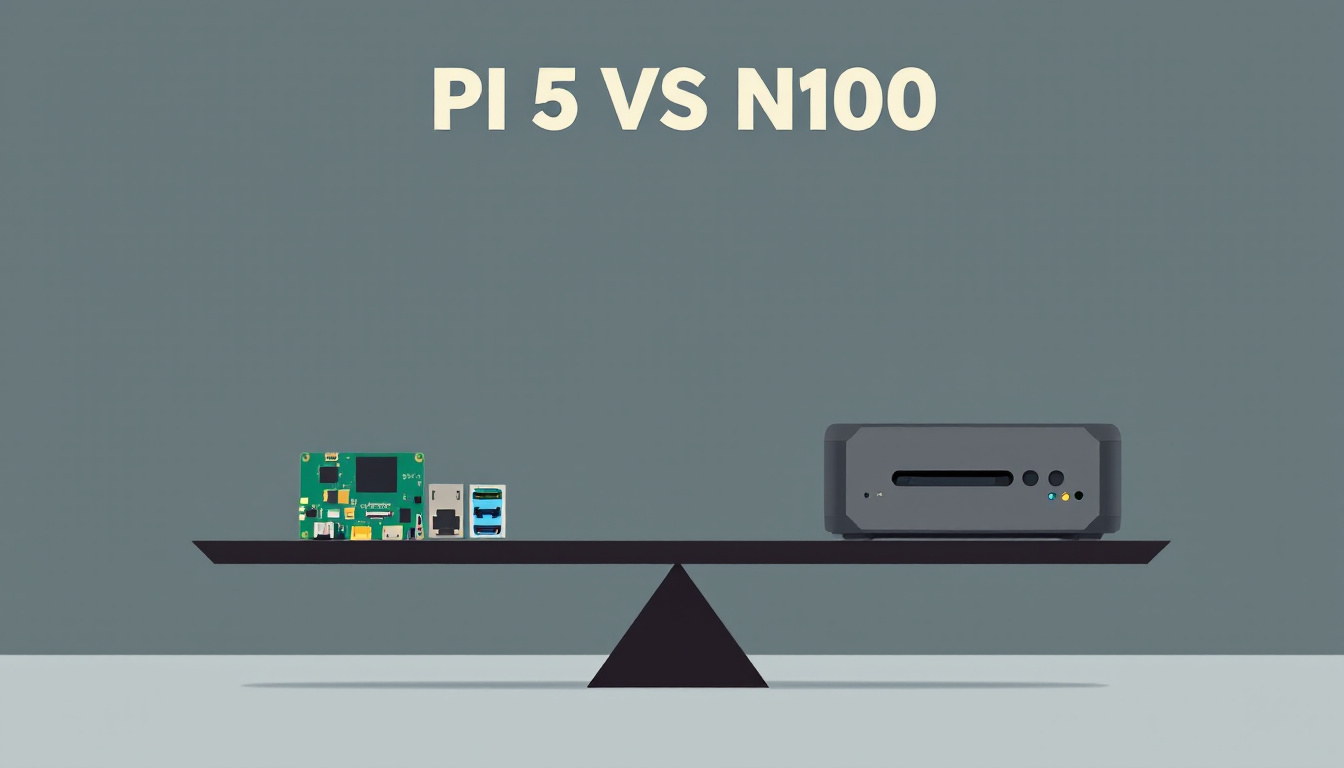
My first Raspberry Pi was a Pi 3 that showed up with a board, a power cable, an SD card and a leaflet, and I’ve set up about a dozen more since. For years “should my homelab box be a Raspberry Pi or a mini PC?” had an easy answer on price alone. Then Raspberry Pi raised prices again on October 1, the fourth increase in ten months, and an 8GB Raspberry Pi 5 board now lists at $175. A 16GB Intel N100 or N150 mini PC, complete with case, power brick and SSD, was $285 to $349 on Amazon when I priced everything on October 24.
This time I priced both the way you’d actually run them as a home server: the board plus everything it needs, against a mini PC that comes with everything in the box. The N100 side of my desk already has numbers, because my own N150 has been on a smart plug for months.
TL;DR
- The 8GB Raspberry Pi 5 board went from $80 before December 2025 to $175 on October 24, 2026, and the 16GB from $120 to $305.
- A complete Pi 5 server with NVMe storage comes to $273.15 with 8GB and $403.15 with 16GB at October 24 reseller and Amazon prices.
- The Bmax B4 Turbo, a 16GB N150 box with 512GB of storage, was $284.99. The 16GB Pi build costs $118.16 more.
- The Pi 5 has no hardware video encoder. N100 and N150 boxes transcode through Quick Sync.
- The Pi still wins on power, by about CA$12 to CA$32 a year against my N150’s measured draw at my electricity rate.
Four Raspberry Pi price hikes in ten months
In Raspberry Pi’s October 1 announcement, Eben Upton says the 2GB Pi 5 goes up $12.50 to $77.50, because holding the 2GB price through the April round “has now become unsustainable.”
The April round was much bigger: on April 1, Raspberry Pi added $25 to the 4GB, $50 to the 8GB and $100 to the 16GB Pi 5, after a February round and a December round before it. Every one of those posts blames the same thing, memory, and the April post says the LPDDR4 used on the Pi 4 and 5 got seven times more expensive in a year.
Here’s the Pi 5 list price at each step, from those four posts:
| Pi 5 RAM | Before Dec 2025 | Dec 2025 | Feb 2026 | Apr 2026 | Oct 2026 (now) |
|---|---|---|---|---|---|
| 1GB | (none) | $45 | $45 | $45 | $45 |
| 2GB | $50 | $55 | $65 | $65 | $77.50 |
| 4GB | $60 | $70 | $85 | $110 | $110 |
| 8GB | $80 | $95 | $125 | $175 | $175 |
| 16GB | $120 | $145 | $205 | $305 | $305 |
The official Pi 5 product page shows $305 for the 16GB, and PiShop.us, a Raspberry Pi Approved Reseller, listed all five at exactly those numbers on October 24.
Meanwhile, I’ve been pulling Amazon prices for N100 mini PCs since May. One 16GB / 500GB Beelink Mini S12 Pro listing was $399 in May, $429 in July, and $359 on October 24. Another S12 Pro listing has been $339 every time I checked since July, apart from $399 at the turn of July and August. I don’t have N100 prices from before December, so I can’t say they dodged the memory crunch, only that they aren’t climbing now.
Pricing a Pi 5 the way it actually runs
A bare Pi 5 board isn’t a server. To run it 24/7 with Docker and a database, I’d want:
- Power supply: the official 27W USB-C unit. Raspberry Pi recommends a 5V/5A supply, and on anything weaker the board limits its USB ports to 600 mA, which bites the moment you hang a drive off it.
- Cooling: the official case has a temperature-controlled fan built in. The product page says the Pi 5 performs best with active cooling, and a box running for months needs it.
- Storage: an NVMe SSD on an M.2 HAT. SD cards are how Pi servers die. The official M.2 HAT+ Compact fits inside the official case alongside the fan, but takes 2230 drives only.
Prices are PiShop.us on October 24, 2026, except the SSD, because Raspberry Pi’s own 256GB SSD kit ($99) and bare 256GB SSD were both out of stock there. I used a Micron 256GB 2230 NVMe from Amazon at $59.25 instead.
| Part | 4GB build | 8GB build | 16GB build |
|---|---|---|---|
| Raspberry Pi 5 board | $110.00 | $175.00 | $305.00 |
| Official 27W USB-C power supply | $12.95 | $12.95 | $12.95 |
| Official case with fan | $10.95 | $10.95 | $10.95 |
| M.2 HAT+ Compact | $15.00 | $15.00 | $15.00 |
| 256GB 2230 NVMe SSD | $59.25 | $59.25 | $59.25 |
| Total | $208.15 | $273.15 | $403.15 |
That’s before shipping and tax. The accessories add $98.15 at every RAM size, so the board price dominates once you go past 4GB.
Pro tip: buy the board from an Approved Reseller. Raspberry Pi says those resellers stick to its published maximum prices. The bare 8GB board on Amazon was $192.99 on October 24, almost $18 over list.
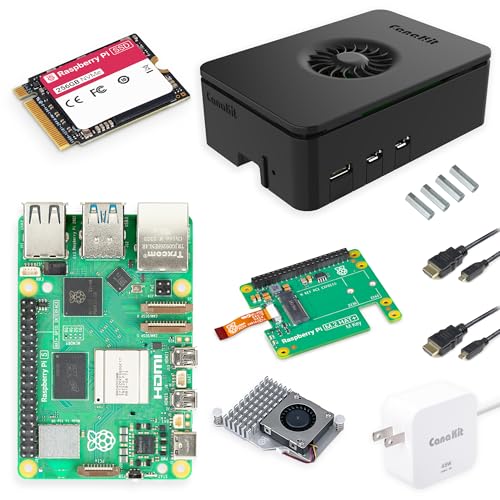
If you’d rather not assemble anything, the CanaKit Raspberry Pi 5 Desktop PC with SSD comes built: 8GB Pi 5, 256GB NVMe on an M.2 HAT+, case and a 45W power supply for $339.97. That’s the same money as a 16GB Beelink.
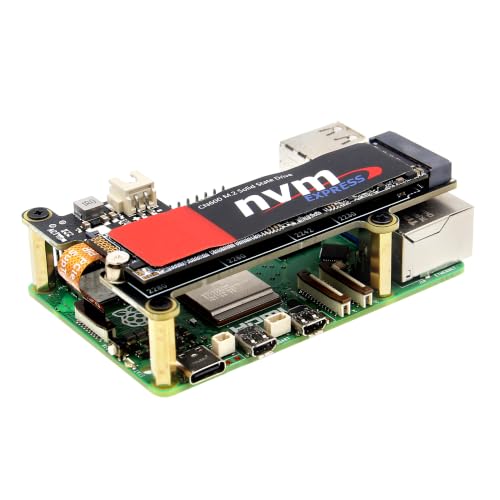
If you want to reuse a 2242 or 2280 drive you have lying around, the Geekworm X1001 at $13.90 takes 2230 through 2280. Check that it fits your case and cooler before you order.
Pi 5 kit vs N100 and N150 boxes, side by side
The mini PC rows are Amazon prices from October 24, usually with a Windows license you’ll probably wipe for Debian.
| Box | CPU | RAM / storage | Price | Hardware video encode |
|---|---|---|---|---|
| Pi 5 8GB DIY kit | 4x Cortex-A76, 2.4 GHz | 8GB / 256GB NVMe | $273.15 | None |
| Pi 5 16GB DIY kit | 4x Cortex-A76, 2.4 GHz | 16GB / 256GB NVMe | $403.15 | None |
| CanaKit Pi 5 Desktop PC with SSD | 4x Cortex-A76, 2.4 GHz | 8GB / 256GB NVMe | $339.97 | None |
| Bmax B4 Turbo | Intel N150, up to 3.6 GHz | 16GB / 512GB | $284.99 | Quick Sync |
| Beelink Mini S12 Pro | Intel N100, up to 3.4 GHz | 16GB / 500GB | $339.00 | Quick Sync |
| Beelink Mini S13 | Intel N150, up to 3.6 GHz | 16GB / 500GB | $349.00 | Quick Sync |
At 8GB the Pi kit is $11.84 cheaper than the Bmax, and the Bmax has twice the memory and twice the storage. At 16GB, the Pi costs $118.16 more than the Bmax and $54.15 more than the Beelink S13.
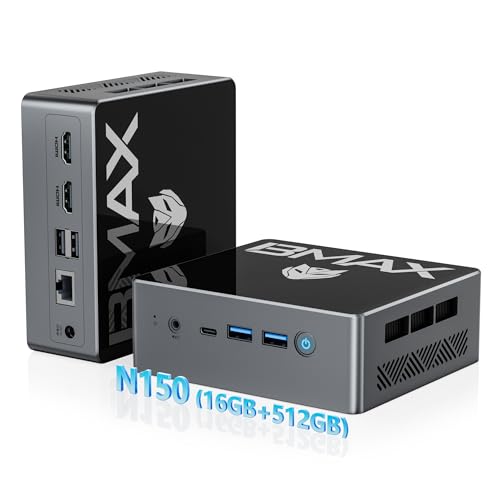
The Bmax listing said “only 9 left” when I checked, so it may not last. The S12 Pro was my safe pick in the Jellyfin post, and the S13 is the same idea with the newer chip. My own box, the KAMRUI Essenx E1 from the VPS cost post, was $279 in September and is listed as currently unavailable now.
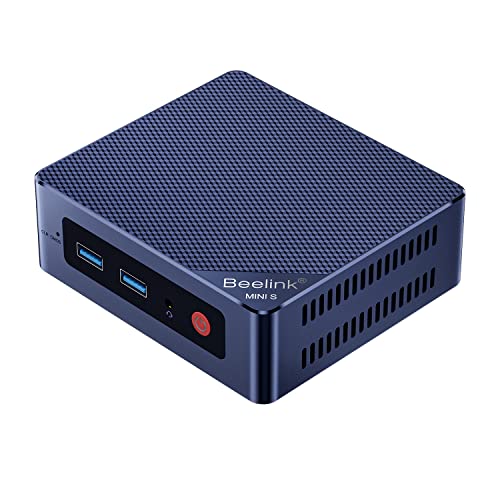
Intel’s spec sheets cap both the N100 and the N150 at 16GB, and the N100 runs it on a single memory channel, so a 16GB box is the ceiling for this class. The Pi’s PCIe link is a single PCIe 2.0 lane, rated by Raspberry Pi at 500 MB/s peak, which is plenty for a database and backups. And the mini PC is x86, which is what Docker images are built for first. Most popular images ship arm64 builds too, and once in a while one doesn’t.
I didn’t run a CPU benchmark for this post. For the usual homelab stack (reverse proxy, Pi-hole, a couple of databases, Uptime Kuma) either chip idles most of the day. The best mini PCs for home lab post covers what to buy when you outgrow an N100, and I’ve written before about why mini PCs took over self-hosting.
Jellyfin transcoding: Quick Sync or nothing
This is the row that settles it for me. The Pi 5’s spec sheet lists a 4Kp60 HEVC decoder and no encoder at all. Jellyfin’s hardware acceleration docs put it bluntly: the Pi 5 “lacks hardware encoders entirely,” and Jellyfin has deprecated V4L2 acceleration on Raspberry Pi as a result.
What that means at home: if every screen in the house can direct-play your files, the Pi is fine as a Jellyfin server. The first time someone opens a 4K HEVC movie on a phone over a hotel connection, the Pi has to re-encode it in software on four Arm cores. I haven’t timed that on a Pi 5, and I wouldn’t plan a household around it.
The N100 and N150 have Intel’s Quick Sync block, and Jellyfin lists QSV as supported and validated. The Docker setup and /dev/dri passthrough are in the Jellyfin 12 mini PC post. HEVC 10-bit decode and H.264 encode both happen in hardware on these chips, so the CPU stays free.
Frigate is the one media-adjacent job where the Pi still fights back, because a Hailo AI HAT on the Pi’s PCIe lane is a good object detector. I covered that build in the Frigate hardware guide. The catch is the same single lane: with the AI HAT on it, recordings go to a USB SSD instead of NVMe.
Let’s do the math on power
Jeff Geerling measured Pi 5 power on several boards: 3.2 W idle and 9.8 W under stress-ng for the 8GB model, and 2.4 W idle for the newer 2GB board with the smaller D0 chip.
My N150 box sat at a 13 W baseline at the wall with a dozen containers up, with short spikes to about 47 W when scheduled jobs run. August came to 22.088 kWh, a 29.7 W average, with daily totals tapering from just under 1 kWh to about 0.55 as the month went on. The first 12 days of September averaged 16.6 W.
Neither of my numbers is a bare idle like Geerling’s 3.2 W. A Pi server also carries an NVMe drive and the case fan (Raspberry Pi rates the fan at 300 mW), and a Pi doing the same busy jobs wouldn’t sit at 3.2 W either. So the honest answer is a range. Baseline against idle is the smallest gap, and my August average against an idle Pi is the largest:
| Comparison against the Pi’s 3.2 W | Gap (W) | kWh per year (24/7) | Per year at CA$0.14/kWh | At CA$0.30/kWh |
|---|---|---|---|---|
| My N150’s 13 W baseline | 9.8 | 85.8 | CA$12.02 | CA$25.75 |
| My N150’s early-September average, 16.6 W | 13.4 | 117.4 | CA$16.43 | CA$35.22 |
| My N150’s August average, 29.7 W | 26.5 | 232.1 | CA$32.50 | CA$69.64 |
CA$0.14 is roughly what my utility charges, which is on the low side. The 16GB Pi build costs $118.16 more than the Bmax up front, so the electricity savings take between roughly four and ten years to cover it, and that’s before converting Canadian dollars to US ones. On grid power at my rate, the Pi’s lower draw saves less than its higher price costs.
The jobs I’d still give a Pi 5
The cheap end of the Pi 5 lineup still makes sense, because Raspberry Pi held the 1GB at $45 and the 2GB only just went to $77.50.
Home Assistant is the obvious one. Home Assistant OS officially supports the Pi 4 and 5 with at least 2GB of RAM, and a 2GB Pi 5 running only Home Assistant is a tidy little appliance with a Zigbee dongle in one of its USB ports.
Small single jobs fit too: Pi-hole, a VPN endpoint, a sensor logger. My old Pi 3 spent two years logging room temperature to Grafana.
Then there’s anything with wires. GPIO, HATs and the camera connector are the Pi’s home turf, and a mini PC needs USB adapters for most of that, if it can do it at all. And on battery or solar, 3 W against 13 W or more is a real difference.
For Docker containers, Jellyfin and a game server, I’d buy an N100 over an 8GB or 16GB Pi 5.
Raspberry Pi 5 vs N100 questions
Is a Raspberry Pi 5 cheaper than an N100 mini PC in 2026? Only if 4GB is enough. A 4GB Pi 5 server with an NVMe SSD comes to $208.15 in parts. At 8GB it’s $273.15, about the price of a 16GB N150 box, and at 16GB the Pi is $118.16 more expensive than the $284.99 Bmax.
Can a Raspberry Pi 5 transcode for Jellyfin or Plex? Not in hardware. The Pi 5 has a HEVC decoder and no video encoder, so every transcode runs on the CPU. If your clients can direct-play, it works. If they can’t, get a box with Quick Sync.
How much power does a Raspberry Pi 5 use compared to an N100? Jeff Geerling measured 3.2 W idle and 9.8 W under full CPU load on an 8GB Pi 5. My N150 mini PC ran between a 13 W baseline and a 29.7 W August average. The gap works out to about CA$12 to CA$32 a year at CA$0.14 per kWh.
Will Raspberry Pi prices go back down? Raspberry Pi has said in each announcement that it plans to reverse the increases once memory prices fall. It hasn’t given a date, and the October round went up, not down. Price the hardware you’d buy today.
Resources
- Raspberry Pi’s power supply documentation, including the USB current limits
- Jellyfin hardware acceleration docs, including the Raspberry Pi deprecation note
- Intel’s spec pages for the N100 and N150
- On this site: what my N150 costs to run, Jellyfin 12 on a mini PC, and the headless Pi setup guide if you do go the Pi route
Some links above are Amazon affiliate links. If you buy through them, this site earns a small commission at no extra cost to you.
Add up the whole cart before you buy the board. 🧾 tb
Last updated: October 2026