In late October I opened a terminal and listed every model I could still run on my Mac without downloading anything. A screenshot of three Hugging Face model pages returning errors had just gone around, and before mirroring anything, I wanted to know what I actually had.
My Mac Studio has 256GB of unified memory and a library of exactly zero chat models.

TL;DR
- Models leave Hugging Face for boring reasons (uploaders delete or rename them, storage costs money) and occasionally for policy ones.
- Download with
hf download --revision <full commit hash> --local-dir, then write your ownSHA256SUMS.hf cache verifyonly works while the repo still exists online.- Ollama’s blob files are named after their own SHA-256, so they check themselves. Copying the whole
modelsfolder to another disk and pointingOLLAMA_MODELSat it worked first try.- Keep the archive on a NAS or a big USB drive, and keep the models you run daily on a fast local SSD.
Three missing models, mostly for boring reasons
The screenshot showed three abliterated fine-tunes returning errors. I could only check one of them myself, and its page now says “Access to this model has been disabled”. It was a GLM-5.3 fine-tune with “offensive-cyber” in its name, and Hugging Face’s content policy lists “Content designed to disrupt, damage, or gain unauthorized access to systems or devices” as restricted content it can remove or disable.
The other common reason is money. Hugging Face’s storage limits page describes public storage for free accounts as “best-effort”, asks people to use it responsibly beyond the first few gigabytes, and gives PRO accounts up to 10TB included. If you publish hundreds of quants, you eventually clean house.
Then there’s the background noise that makes everyone twitchy:
- Ownership: Nvidia agreed to buy Hugging Face for about $12.9 billion on September 3. Jensen Huang says it “will remain an open platform”, and I have no reason to doubt him today.
- Lab decisions: Moonshot’s Kimi K3.1 Pro announcement says that for the open-weight release they “identified and removed cyber-related data from both training stages”, with weights due by November 4.
- Government lists: DHS ordered federal civilian agencies to remove DeepSeek products from their systems. It only covers agencies, but it shows how fast a model can land on a list.
None of that deletes the files on your SSD. It just reminds you that a main branch on someone else’s server can change, get gated, or vanish. If I want to run a specific model next year, I need my own copy of its files.
I said the same thing in July when I mirrored the Kimi K3 torrent onto a spare drive in the basement. I just never applied it to the models I actually use.
My own library was smaller than I thought
Here’s what the Mac Studio (Mac15,14, M3 Ultra, 256GB) actually had on it today:
du -sh ~/.cache/huggingface        # 7.6G
hf cache ls                        # Found 11 repo(s) ... and 8.2G on disk
du -sh ~/.ollama                   # 916K, and no models folder at all
ls ~/.lmstudio                     # No such file or directory
df -h /                            # 926Gi volume, 184Gi available
All 11 Hugging Face repos are speech models: four faster-whisper sizes, an MLX build of Whisper large-v3-turbo, and a handful of diarization models. The Qwen3.8 27B that ran my morning digest for 10 days isn’t on this disk anymore. Neither is anything from the Ollama vs llama.cpp vs MLX comparison. On a 1TB SSD with 184GiB free, where one DeepSeek V4 Flash download is 167GB, models don’t stick around for long.
That’s the real problem a mirror solves for me. Bans and buyouts are rare. Deleting a model to free up space and then finding out the exact quant you liked got replaced is a lot more likely.
(The 7.6G versus 8.2G gap is just units. du -h counts in GiB, hf cache ls in GB.)
Pin the commit, not the branch
Every Hugging Face repo is a Git repo, and main moves. If you want the same bytes next year, ask for a commit hash. The current CLI (huggingface_hub 2.3.0, command hf) handles both steps.
I tried it with something small: mlx-community/Qwen3.5-0.8B-4bit, an MLX build of about 650MB that loads in under a gigabyte of memory.
# Install the CLI (hf_xet comes with it)
pip install -U huggingface_hub

# Resolve main to a full commit hash first
hf models info mlx-community/Qwen3.5-0.8B-4bit --json | jq -r .sha
# da28692b5f139cb0ec58a356b437486b7dac7462

# Download that exact commit into a normal folder
hf download mlx-community/Qwen3.5-0.8B-4bit \
  --revision da28692b5f139cb0ec58a356b437486b7dac7462 \
  --local-dir ./models/mlx-community/Qwen3.5-0.8B-4bit
Twelve files, 54.6 seconds on an unauthenticated first run. Use the full 40-character hash. Hugging Face’s download guide says a 7-character short hash won’t work.
Why --local-dir and not the default cache? The cache in ~/.cache/huggingface/hub stores files as hash-named blobs with symlinks pointing at them. That works well on your laptop, less so on network shares. The cache docs call symlinks a known limitation and offer HF_HUB_DISABLE_SYMLINKS=1 for shared filesystems. A local folder gives you plain files with their real names, which any tool can open and any backup job can copy.
The cache also drops a CACHEDIR.TAG file in its root, and mine has one too. That file follows a standard that tells backup tools the folder is disposable and can be skipped. If you back up your Mac with restic or Borg and use their --exclude-caches option, your Hugging Face cache gets left out.
--local-dir creates a .cache/huggingface/ folder of its own. Leave it alone. Inside, trees/<commit>.json lists every file at that commit with its size and, for the big files, its lfs_sha256. That’s a free record of what the commit is supposed to contain.
hf cache verify only works while the repo exists
The CLI has a verify command, and it does catch damage. I flipped a single byte 300MB into a copy of model.safetensors:
$ hf cache verify mlx-community/Qwen3.5-0.8B-4bit \
    --revision da28692b5f139cb0ec58a356b437486b7dac7462 \
    --local-dir ./corrupt-copy
❌ Checksum verification failed for the following file(s):
  - model.safetensors: expected f5a0d9dd3efa73510542a8023d610ff26be2b4b020d181cfc4bedaa1fcc5dd9e (sha256), got 80325d375e3837a6e82fbe043d7b2046b7cb71a0a60980af012a65ef7d49177d
On the clean copy it printed “Verified 12 file(s) … All checksums match.” It also warned that 27 local files didn’t exist on the remote. Those are the .cache metadata files. Ignore that warning.
Offline, it refuses:
$ HF_HUB_OFFLINE=1 hf cache verify mlx-community/Qwen3.5-0.8B-4bit --local-dir ./models/...
Error: Cannot reach https://huggingface.co/api/models/mlx-community/Qwen3.5-0.8B-4bit/tree/da28692b...: offline mode is enabled.
And against a repo that doesn’t exist, it just says “Model … not found.” It compares your files to the Hub’s list, so once the repo is gone, so is the check. You need your own manifest, and shasum already ships with macOS:
cd ./models/mlx-community/Qwen3.5-0.8B-4bit

# Hash every file, skipping hf's metadata folder and the manifest itself
find . -path ./.cache -prune -o -type f ! -name SHA256SUMS -print0 \
  | sort -z | xargs -0 shasum -a 256 > SHA256SUMS

# Check it any time, no network needed
shasum -a 256 -c --quiet SHA256SUMS && echo OK
The ! -name SHA256SUMS part is there because I forgot it the first time. The shell creates the output file before find runs, so the manifest listed itself with the hash of a half-written file and failed its own check. With that fixed, the clean copy passed with exit code 0 and the corrupted one printed ./model.safetensors: FAILED. The model.safetensors hash matched the lfs.oid from the Hub’s tree API, so I know the manifest started from the right bytes.
Hashing the 625MB weights file plus the tokenizer took 1.5 seconds on the M3 Ultra. At that rate a 167GB model takes about seven minutes, which is fine for a monthly check.
I wrapped both steps into a script I can point at any repo:
#!/usr/bin/env bash
# mirror-model.sh <repo-id> <dest-root> [revision]
set -euo pipefail

REPO="$1"                       # e.g. mlx-community/Qwen3.5-0.8B-4bit
ROOT="$2"                       # e.g. /Volumes/models
REV="${3:-$(hf models info "$REPO" --json | jq -r .sha)}"  # main -> full hash

DEST="$ROOT/$REPO/$REV"
mkdir -p "$DEST"
hf download "$REPO" --revision "$REV" --local-dir "$DEST"

cd "$DEST"
# Write SOURCE.txt first so the manifest covers it, and a re-run still verifies
printf 'repo=%s\nrevision=%s\nmirrored=%s\n' "$REPO" "$REV" "$(date -u +%FT%TZ)" > SOURCE.txt
find . -path ./.cache -prune -o -type f ! -name SHA256SUMS -print0 \
  | sort -z | xargs -0 shasum -a 256 > SHA256SUMS

shasum -a 256 -c --quiet SHA256SUMS && echo "OK: $REPO @ $REV -> $DEST"
The commit hash goes in the folder name so a repo update lands next to the old copy instead of over it. The catch is deduplication: two commit folders are two full copies, even if only the README changed. Before keeping both, diff their SHA256SUMS files. If the weight hashes match, delete the older folder. My test run took 29.9 seconds end to end, and an rsync copy of the result to a second folder passed the same shasum -c check.
Does the copy still work as a model? I pointed mlx-lm 0.32.2 at the folder with the network switched off:
HF_HUB_OFFLINE=1 mlx_lm.generate \
  --model ./models/mlx-community/Qwen3.5-0.8B-4bit \
  --prompt "Name one reason to keep a local copy of a model file." \
  --max-tokens 60
# Generation: 60 tokens, 340.662 tokens-per-sec
# Peak memory: 0.519 GB
It loaded straight from the folder. The model then spent all 60 tokens on a “Thinking Process” outline and never got to the answer. Small models gonna small model.
Ollama, LM Studio and MLX keep files in different places
Each runtime has its own idea of where models live, so a mirror means knowing all of them:
| Runtime | Default location | Move it with |
|---|---|---|
| Hugging Face CLI, mlx-lm | ~/.cache/huggingface/hub | HF_HOME or HF_HUB_CACHE |
| Ollama on macOS | ~/.ollama/models | OLLAMA_MODELS |
| Ollama on Linux | /usr/share/ollama/.ollama/models | OLLAMA_MODELS (the ollama user needs read and write access) |
| LM Studio | ~/.lmstudio/models/<publisher>/<model>/ | My Models settings, or lms import |
The Ollama paths come from the Ollama FAQ, and the LM Studio layout from its import docs, which still label lms import experimental.
Ollama turned out to be the easiest one to mirror. I started a throwaway server on another port with OLLAMA_MODELS pointed at a scratch folder and pulled smollm2:135m, a 270MB model:
models/
├── blobs/
│   ├── sha256-f535f83ec568d040f88ddc04a199fa6da90923bbb41d4dcaed02caa924d6ef57   # 270,885,952 bytes, the weights
│   └── sha256-...   # five small blobs: config, template, system prompt, license, params
└── manifests/registry.ollama.ai/library/smollm2/135m   # JSON listing each blob's digest and size
Every blob is named after its own SHA-256, and shasum agreed with the filename. So the check is just a loop:
cd /Volumes/models/ollama/blobs
for f in sha256-*; do echo "${f#sha256-}  $f"; done | shasum -a 256 -c --quiet && echo OK
Then I copied the whole folder with rsync -a, restarted the server with OLLAMA_MODELS pointing at the copy, and ollama list showed smollm2:135m at 270 MB. ollama run answered from it.
Copy the blobs and the manifests together, though. A blob folder without manifests is a pile of anonymous files, and you’ll never figure out which one was which.
If you mirror a GGUF repo, the --local-dir folder already holds plain .gguf files. llama.cpp takes the path with -m, and LM Studio can pull one in with lms import.
Don’t download the same 17GB model separately into three runtimes. Mirror it once from Hugging Face, then import from the mirror.
Where the copies live: NAS or a big drive
Here’s what a modest library weighs, using files I’ve written about here:
| Model | Size on disk | Source |
|---|---|---|
| Qwen3.5 9B, MLX 4-bit | 6.0 GB | Ollama vs llama.cpp vs MLX |
| Qwen3.8 27B, Q4_K_M | 17 GB | Qwen3.8 27B on my Mac Studio |
| Qwen3.8 27B, BF16 | 54.7 GB | same post, quant table |
| DeepSeek V4 Flash | 167 GB | DeepSeek V4 Flash at home |
| Kimi K3, full release | 1.56 TB | Kimi K3 torrent |
Everything except Kimi adds up to about 245GB. That fits on a 4TB SSD with room to grow. Add one frontier-size release and you’re shopping for hard drives.
The big USB drive. Cheapest way to get the files off your laptop. The Seagate Expansion 24TB was $679.99 when I checked, about $28 per terabyte, and holds the Kimi K3 release fifteen times over. It’s one drive, so it’s one copy.
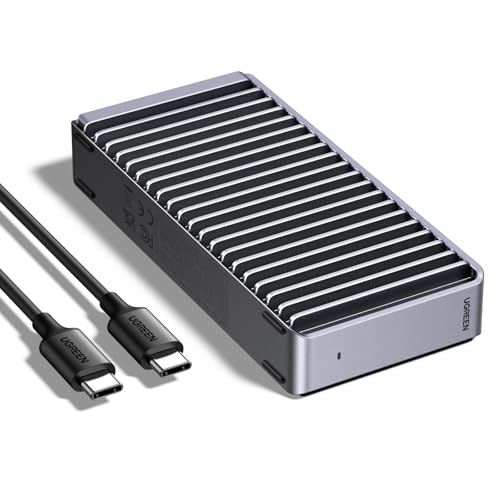
The fast drive. For models you load every day, I’d use NVMe over USB4. The UGREEN 40Gbps M.2 enclosure ($69.99) lists up to 3,600MB/s with a Thunderbolt 4 cable and drives up to 8TB. Put a WD Blue SN5000 4TB ($529.99) in it and you have the 245GB library above with plenty of space left. Per terabyte it costs over four times the USB hard drive, so I’d treat it as the working copy.
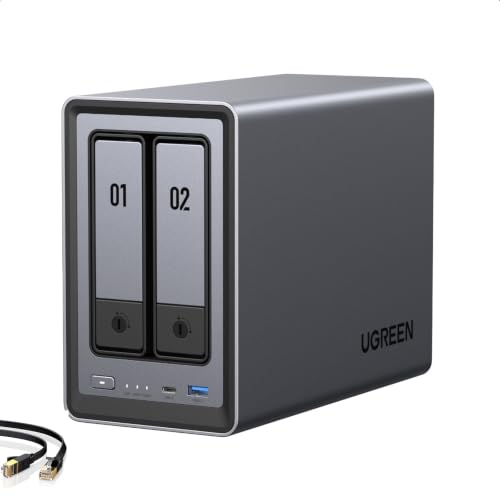
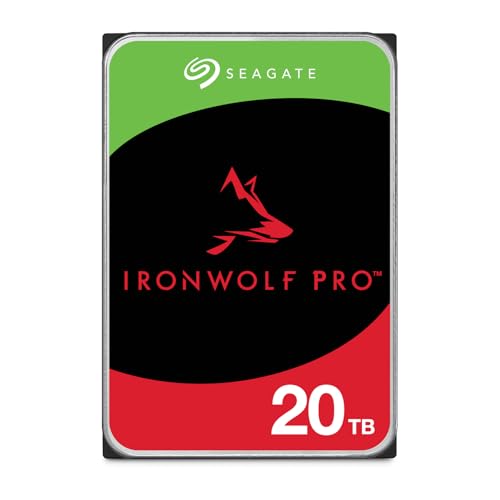
The NAS. If more than one machine pulls models, a NAS stops the “which laptop has the good quant” problem. On the small end, the UGREEN DXP2800 ($389.99) is a 2-bay box with an Intel N100, 8GB of DDR5, 2.5GbE and two M.2 slots. If you’d rather have four bays and Synology’s software, the Synology DS425+ is $579.97 diskless. Fill either with something like the Seagate IronWolf Pro 20TB ($879.99, CMR, 5-year limited warranty per the listing). Two in a mirror gives you 20TB that survives a dead disk. Prices on these move a lot, so check before you buy.
I’d keep the NAS as the archive and run models from local storage. 2.5GbE tops out around 312MB/s, so a 17GB model takes close to a minute to load over the network even in a perfect world. Copying Kimi K3 onto it would take about 83 minutes at line rate. That’s fine for a nightly sync, but you don’t want to wait like that every time you open a chat.
Here’s the setup I’d build:
- Mirror with
mirror-model.shstraight onto the NAS share. - Copy the two or three models you actually use to the local SSD and run them from there.
- Run
shasum -cagainst the NAS copies on a schedule, and keep a second copy of the ones you’d truly miss on a USB drive that lives somewhere else.
RAID in a NAS protects you from a dead disk, but a bad rm -rf deletes the file from every disk in the array. The second copy on a separate USB drive is there for that case.
Questions I had while setting this up
Can I download a model that’s already been removed from Hugging Face? Not from the Hub. A disabled repo is blocked for everyone except its owner, according to the content policy. Your options are a mirror someone else kept, a torrent, or the same weights from another quant maker. Check any of those against a hash you trust before you run them.
Isn’t the Hugging Face cache already a backup?
It’s a download cache. Cleanup commands like hf cache prune exist to delete from it, it tags itself so backup tools skip it, and hf cache verify needs the Hub online to check anything. Use it for convenience and keep your own copy.
Do I need the full repo or just the weights?
Keep the whole commit. Config, tokenizer, chat template and license are tiny next to the weights, and a model folder missing tokenizer.json is a very slow way to rediscover that.
Will a NAS share work as OLLAMA_MODELS?
I only ran Ollama from a local copy, so I haven’t tested that. Even if it works, every model load goes over the network. I’d keep Ollama’s live folder local and sync it to the NAS.
How often should I re-check the hashes? Monthly for a NAS, and after every copy to a new disk. It costs minutes and catches silent damage before you need the file.
Resources
- huggingface_hub on GitHub: source for the
hfCLI - Ollama FAQ: model locations and
OLLAMA_MODELS - Best mini PC for local LLMs and Mac mini alternatives for local LLMs if you still need something to run the mirror on
Some links above are Amazon affiliate links. If you buy through them, this site earns a small commission at no extra cost to you.
Happy mirroring! 💾
Last updated: November 2026